Organisation · 2 min read
The default personal assistant
Configure the assistant every user gets: its models, tools, instructions and data settings.
The personal assistant is the first thing every user sees, and you configure it once for everyone. Because a change here lands in every member’s chat at the same moment, it’s worth treating as a shared configuration rather than a preference.
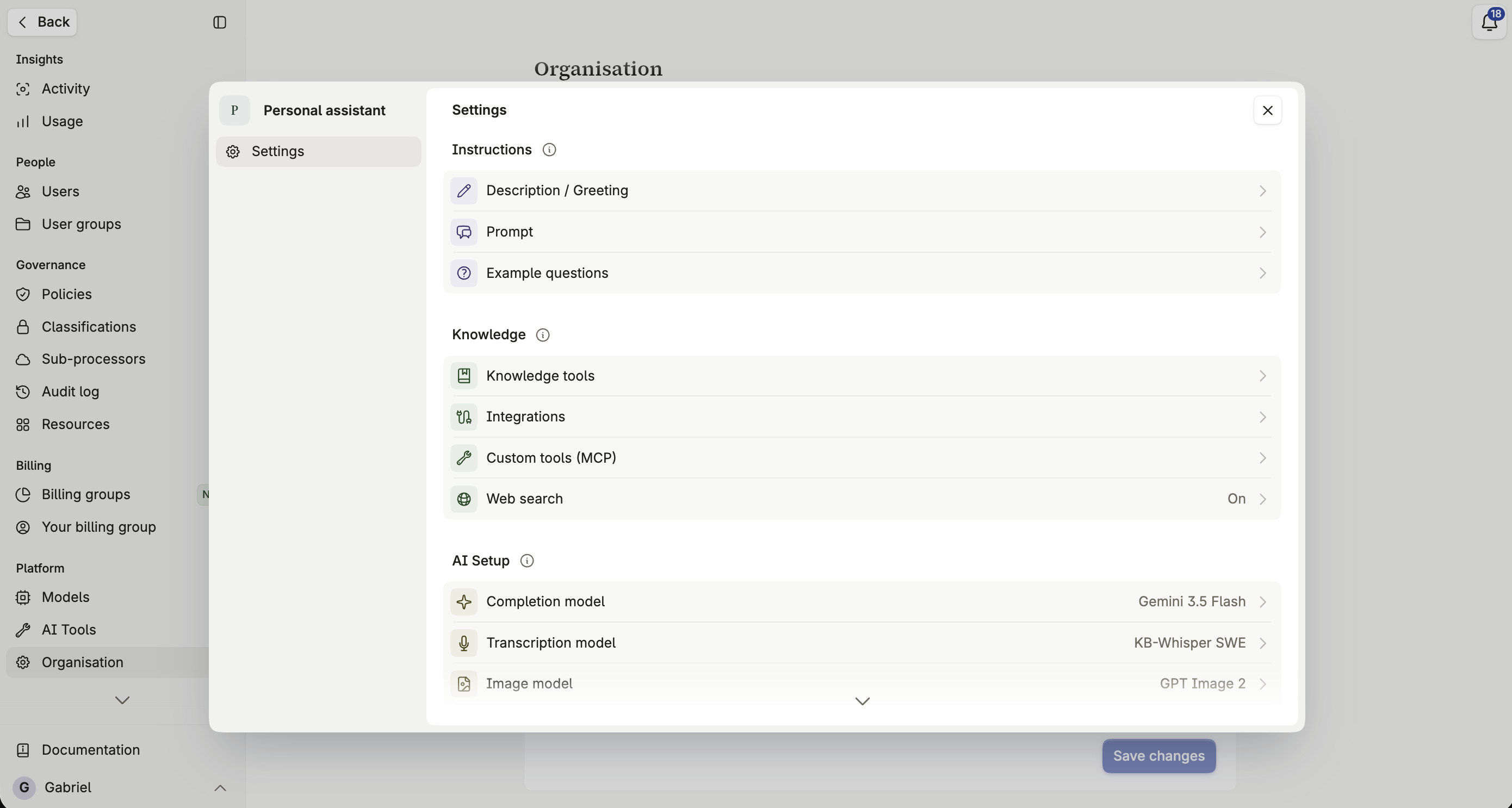
What you configure
Section titled “What you configure”Only organization Admins can change any of the following.
Models and the model selector
Section titled “Models and the model selector”Limit which models are selectable for the personal chat, and decide whether Creators and Admins may pick their own model at all through a model selector.
Security classification
Section titled “Security classification”Lock the personal assistant to a specific security classification, so it always operates within the frameworks your organization has set for general-purpose use.
Knowledge and tools
Section titled “Knowledge and tools”Decide which knowledge tools — integrations, custom tools, web search — the personal assistant can use by default.
Data retention
Section titled “Data retention”Set a data retention period for the personal assistant, the same mechanism used for any other assistant.
Organization-wide instructions
Section titled “Organization-wide instructions”Give the personal assistant a set of organization-wide instructions that apply to every user’s chat — a shared instruction layer that shapes default behavior without each user configuring anything themselves. Typical uses: a consistent tone and voice, a preferred response language, or a request to use plain, accessible language.
How this differs from an assistant’s instructions
Section titled “How this differs from an assistant’s instructions”On an ordinary assistant, the instructions only affect people who use that specific assistant. Organization-wide instructions on the personal assistant apply to every user’s personal chat at once — they set a baseline rather than solving one specific task, so keep them broad rather than narrowly prescriptive.
Recommended configuration
Section titled “Recommended configuration”- Security level — an open classification, suitable for general questions and everyday tasks.
- Model — a fast, efficient model as the default, since immediate response matters more than deep reasoning for most personal-chat use.
- Web search — enabled by default, so the assistant can fetch current information without the user having to ask for it explicitly.
Before you change shared behaviour
Section titled “Before you change shared behaviour”What users can see about their own settings
Section titled “What users can see about their own settings”An info icon in the personal assistant’s interface lets users see which model, security classification, and tools are currently active. Even though they didn’t configure it themselves, they can always check what they’re working with.