6 articles · 1 min read
Widgets
Embeddable chat windows that let visitors on your public website talk to an AI agent.
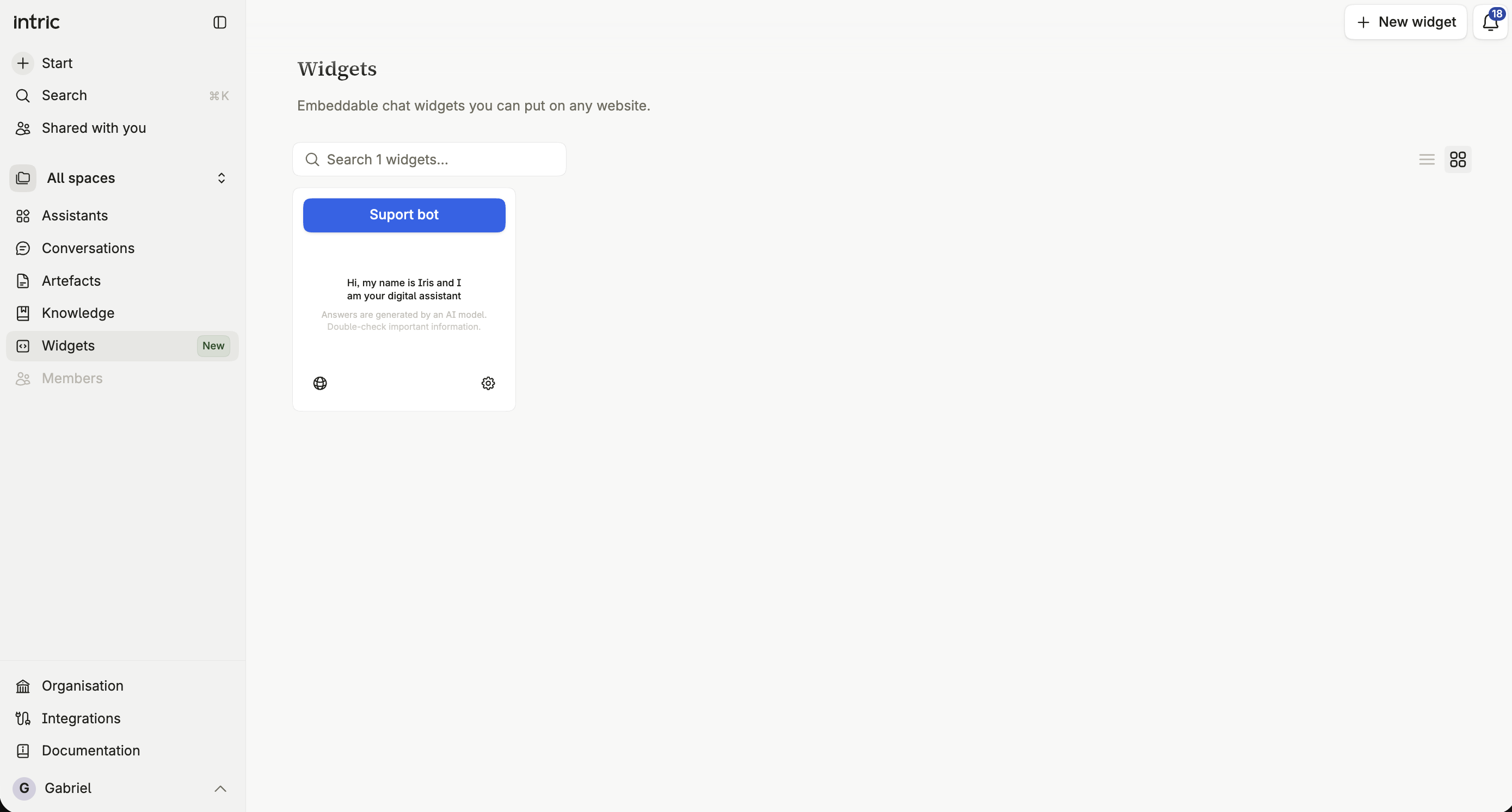
A widget is a chat window you embed on a website outside Intric, so visitors can ask questions without an Intric account. Each widget has its own instructions, model, knowledge and appearance, and is either live or a draft.
What a widget is
Section titled “What a widget is”A widget isn’t the same thing as sharing an assistant. It carries its own configuration — its own model and knowledge — separate from any assistant you’ve built for internal use.
How a widget differs from an assistant
Section titled “How a widget differs from an assistant”Its own configuration
Section titled “Its own configuration”A widget has its own instructions, model choice, web search setting, one attachable tool, knowledge, and data retention. None of it is inherited from an existing assistant — you configure a widget as its own thing.
What visitors cannot see
Section titled “What visitors cannot see”A visitor using a shared widget link never sees references or citations, even where an internal assistant would show them. They also never see your organization’s internal instructions or configuration — only the conversation itself, the welcome message, and whatever the widget was told to say.
No sign-in
Section titled “No sign-in”Widget visitors don’t sign in. That’s why a widget can only use tools that work without authentication, and why every capability of an attached tool must be set to approve automatically — there’s no visitor to ask.
A visitor can still reload the page or move to another page on your site and carry on the same conversation, for up to two hours after their last message.
Live and draft
Section titled “Live and draft”A widget is either Live, reachable by anyone who finds its embed code or link, or a Draft, which visitors can’t reach yet. Take a widget live from its Embed & deploy settings.
Who pays for a widget
Section titled “Who pays for a widget”Each widget is billed to a billing group — at first the one its creator belongs to — and that group’s spending limits apply to it. Admins can move a widget between groups. See Widgets and cost.
Creating your first widget
Section titled “Creating your first widget”Create a widget from Widgets in the sidebar, not from an assistant’s own settings — assistant-level widget creation has moved here. See Create a widget.
Working through this section
Section titled “Working through this section”Create a widget covers naming one and finding your way around its settings. Behavior, Appearance and Embed and deploy cover each settings page in turn.