2 articles · 75 min read
Change log
Intric change log and product updates. Stay up to date with new features, improvements, and fixes shipped in Intric.
Oct 21, 2026
Section titled “Oct 21, 2026”Backend 2.25.0 · Frontend 1.184.1 · Helm chart 5.19.4
Redaction finds personal data on scanned pages
Section titled “Redaction finds personal data on scanned pages”Redaction now reads scanned PDF pages and the text inside images, so personal data there can be found and blacked out too. Before, only text the PDF already carried was checked. Redaction boxes also cover large headings fully.
Photos and drawings in PDFs are described
Section titled “Photos and drawings in PDFs are described”Photos, drawings and font samples in uploaded PDFs are now described in text instead of being skipped, so an assistant can find and answer from what they show. See OCR pipeline.
Editing a document artefact works in Safari
Section titled “Editing a document artefact works in Safari”Editing a document artefact in Safari no longer opens an error page.
Gemma 4 from Berget, and GPT-4.1 nano is being retired
Section titled “Gemma 4 from Berget, and GPT-4.1 nano is being retired”Admins can enable Gemma 4, hosted in Sweden by Berget. GPT-4.1 nano is deprecated and shows the date it will be removed: 23 October 2026 on OpenAI and 14 April 2027 on Azure. Llama 3.3 70B is removed. Assistants that use either model need another one; see Removing a model.
Replacing a model also moves personal assistants
Section titled “Replacing a model also moves personal assistants”When you replace a model, personal assistants and the default model for personal assistants move to the replacement too, so they keep answering after the model is removed. Assistants and personal assistants show the new model straight away, without reloading the page. See Removing a model.
A Space’s security classification can’t be cleared
Section titled “A Space’s security classification can’t be cleared”When security classifications are turned on, editing a Space can no longer remove its classification. Spaces that have no classification can still be edited. See Security classification.
Oct 15, 2026
Section titled “Oct 15, 2026”Backend 2.21.1 · Frontend 1.182.1 · Helm chart 5.19.0
Widget settings say widgets are public
Section titled “Widget settings say widgets are public”The knowledge settings of a widget now open with a notice that widgets are public-facing, so only knowledge that is safe to share publicly belongs there. The allowed domains list also explains that it only controls where a widget can be embedded and does not make its knowledge private. The widget settings dialog is wider. See Privacy policy and allowed domains.
Sign-in no longer reveals whether an account exists
Section titled “Sign-in no longer reveals whether an account exists”When you sign in with a password, an unknown email and a wrong password now both show “Incorrect email or password.” Each step also takes a fixed minimum time, so the answer can’t be guessed from how long it takes.
Too many pages in a PDF gets a clear error
Section titled “Too many pages in a PDF gets a clear error”Uploading a PDF with more than 3,000 pages now shows an error saying it has too many pages, instead of a generic server error. See OCR pipeline.
Redaction analysis is much faster
Section titled “Redaction analysis is much faster”Analysing a document for redaction is much faster, and the progress bar now advances page by page.
PDF export works with complex layouts
Section titled “PDF export works with complex layouts”Exporting an artefact to PDF no longer fails with a server error when its layout has items spanning several rows. If a layout still can’t be rendered, the error message suggests exporting in another format.
Files stuck after failed processing are retried
Section titled “Files stuck after failed processing are retried”Files that failed processing earlier and were left stuck are now picked up again by the nightly processing run.
Gemini thinking models keep answering in older integrations
Section titled “Gemini thinking models keep answering in older integrations”Gemini thinking models no longer fail a turn with “Invalid thought signature” in conversations continued through the legacy assistant or widget endpoints.
The MCP sign-in window shows the current logo
Section titled “The MCP sign-in window shows the current logo”The window that opens when you connect an MCP server now shows the current Intric logo.
Gemini 4 Argon
Section titled “Gemini 4 Argon”Admins can enable Google’s Gemini 4 Argon reasoning model.
Token usage is recorded for every API answer
Section titled “Token usage is recorded for every API answer”Token usage and costs are now recorded for non-streaming answers from the assistant session API and legacy widgets. Earlier non-streaming answers have no usage on record and can’t be filled in afterwards.
Oct 12, 2026
Section titled “Oct 12, 2026”Backend 2.19.0 · Frontend 1.181.0 · Helm chart 5.17.26
Single sign-on users are in their user groups from the first sign-in
Section titled “Single sign-on users are in their user groups from the first sign-in”People who sign in with single sign-on are placed in their organization’s user groups the first time they sign in, instead of only after signing out and in again. Their group memberships then follow the identity provider on every sign-in. See SSO and User Groups.
Choose what replaces a model when you remove it
Section titled “Choose what replaces a model when you remove it”Removing a completion model now shows how many assistants and widgets use it and lets you choose a curated pick or a specific model to take over all of them, so they keep answering once the model is gone. When something affected uses tools, only models with tool use are offered. See Adding models.
Oct 9, 2026
Section titled “Oct 9, 2026”Backend 2.18.0 · Frontend 1.180.0 · Helm chart 5.17.25
Knowledge files no longer get out of sync in assistant settings
Section titled “Knowledge files no longer get out of sync in assistant settings”Files you add to or remove from an assistant’s knowledge are saved one at a time, so they no longer disappear or come back after you close settings, use two tabs, or save other changes. A file that uploaded but could not be attached is marked and can be retried.
Knowledge your Space’s classification disallows is greyed out
Section titled “Knowledge your Space’s classification disallows is greyed out”Knowledge whose embedding model the Space’s security classification does not allow is greyed out with an explanation and can no longer be added to an assistant. See Knowledge sources.
Replies and artefacts recover after a dropped connection
Section titled “Replies and artefacts recover after a dropped connection”Replies and artefact previews catch up after a dropped connection without refreshing the page.
The assistant no longer claims files it could not show
Section titled “The assistant no longer claims files it could not show”When a document, spreadsheet or presentation can’t be generated, the assistant now says so instead of claiming it was created.
Refused actions explain why
Section titled “Refused actions explain why”A refused action now explains which permission check blocked it instead of returning a blank error.
Widgets only load on the sites your organisation allowed
Section titled “Widgets only load on the sites your organisation allowed”Widgets can now only be embedded on the websites your organisation has allowed. Before you upgrade: add every site that embeds a widget to your organisation’s allowed origins, or the widget stops loading there. Ask support to add any site where your widget should appear. Two organisations can also be given the same allowed origin, and re-adding an origin an organisation already has returns a clear error.
From Oct 14, widgets added with an older iframe embed code load again on websites that hide the referring page. On those websites the allowed-sites list can’t be enforced until the embed code is replaced with the current one.
The widget tool picker shows a one-or-none choice
Section titled “The widget tool picker shows a one-or-none choice”A widget can have one tool or none. The picker now says so, a selected tool can be removed with a Remove button, and the live preview steps aside while you pick.
Remove a model from the Add model dialog
Section titled “Remove a model from the Add model dialog”Admins can remove a model directly in the add dialog instead of going back to the models list. See Adding models.
Claude Sonnet 5.5 and Haiku 5.5, hosted in the EU
Section titled “Claude Sonnet 5.5 and Haiku 5.5, hosted in the EU”Admins can enable Claude Sonnet 5.5 and Claude Haiku 5.5 as EU-hosted models through AWS Bedrock.
Kimi and Qwen descriptions state their origin
Section titled “Kimi and Qwen descriptions state their origin”Descriptions of Kimi and Qwen models now state that the models originate from China.
Integrations are managed by administrators only
Section titled “Integrations are managed by administrators only”Tenant-level integrations can only be listed, added and removed by tenant administrators, and the webhook token is shown once, when the integration is added.
Oct 7, 2026
Section titled “Oct 7, 2026”Backend 2.16.0 · Frontend 1.179.0 · Helm chart 5.17.24
New single sign-on users can sign up again
Section titled “New single sign-on users can sign up again”People signing in with single sign-on for the first time can create their account again.
The conversations page shows every conversation
Section titled “The conversations page shows every conversation”The Conversations page now reaches every conversation, not only the newest 500, and search, filters and the space picker cover all of them.
A clear message for unreadable uploads
Section titled “A clear message for unreadable uploads”Uploading a document with malformed XML inside it now returns a clear “file could not be read” message instead of failing with an unexplained server error.
Oct 6, 2026
Section titled “Oct 6, 2026”Backend 2.15.0 · Frontend 1.178.1 · Helm chart 5.17.23
Retry when a model provider sends nothing back
Section titled “Retry when a model provider sends nothing back”When a model provider returns an empty response, the chat now shows it as a temporary provider error you can retry, instead of an unexplained failure.
Assistant details show the model you just chose
Section titled “Assistant details show the model you just chose”An assistant’s details panel no longer shows the previous model after you change it in settings.
Mistral Large 4, hosted in the EU
Section titled “Mistral Large 4, hosted in the EU”Admins can enable Mistral Large 4 under Models. It is an EU-hosted multimodal reasoning model with a context window of 1M tokens.
Oct 5, 2026
Section titled “Oct 5, 2026”Backend 2.14.0 · Frontend 1.178.0 · Helm chart 5.17.22
Widget visitors can pick up where they left off
Section titled “Widget visitors can pick up where they left off”People chatting in an embedded widget can reload the page or move to another page and continue their conversation for up to two hours after their last message.
Downloads work in isolated browsers
Section titled “Downloads work in isolated browsers”Downloads, including CSV exports, transcripts, images and artefact sources, now work in hardened browsers such as HP Sure Click.
New websites can no longer be added to Knowledge
Section titled “New websites can no longer be added to Knowledge”New websites can no longer be connected to Knowledge. Websites that are already connected keep working and can still be edited, synced, moved and deleted. To answer from specific sites, use web search restricted to them instead.
Everyone in the Space can open a widget’s knowledge files
Section titled “Everyone in the Space can open a widget’s knowledge files”Space members can now open all the knowledge files on a widget, not just the ones they uploaded themselves. A widget can no longer be given a file its editor isn’t allowed to see.
Easier to use with a keyboard or screen reader
Section titled “Easier to use with a keyboard or screen reader”Keyboard and screen-reader users can now leave the conversations and assistants tables with Tab, reach every row menu action with the arrow keys, and have focus move into and back out of the assistant and notification panels. Pressing Enter on an attachment control no longer sends the message.
Assistant details show the right publishing status
Section titled “Assistant details show the right publishing status”The Details tab of an assistant now shows whether it is published, instead of showing Draft for published assistants that have no share link.
Window buttons line up in the desktop app
Section titled “Window buttons line up in the desktop app”In the macOS desktop app, the window buttons now line up with the sidebar toggle.
Oct 2, 2026
Section titled “Oct 2, 2026”Backend 2.13.0 · Frontend 1.177.1 · Helm chart 5.17.21
Pick which template a document is built on
Section titled “Pick which template a document is built on”When several PowerPoint or Word templates are attached to a conversation or saved on an assistant, you can ask for a presentation or document to be built on a specific one by name, instead of always getting the most recently uploaded template. See What are artefacts?.
The download option says what it produces
Section titled “The download option says what it produces”In the artefact download dialog, Format & download is now called Format & download PDF, so it is clear which format you get.
Find deactivated users in the user list
Section titled “Find deactivated users in the user list”The admin user list now labels deactivated accounts Inactive instead of Active or Invited. Filtering by status matches the status shown for each user, and you can filter on inactive users alone.
Oct 1, 2026
Section titled “Oct 1, 2026”Backend 2.12.0 · Frontend 1.177.0 · Helm chart 5.17.20
Chat with a widget while you set it up
Section titled “Chat with a widget while you set it up”Widget settings now have a live preview where you can chat with your widget and watch appearance changes as you make them. See Create a widget.
A clearer warning when you delete an assistant
Section titled “A clearer warning when you delete an assistant”The dialog for deleting an assistant now explains that the assistant is removed for everyone who uses it, together with their conversations, artefacts and everything else created with it.
Assistants with many files open and save quickly
Section titled “Assistants with many files open and save quickly”Assistants with many attachments now open and save quickly, and saving no longer times out with hundreds of files attached. In the API, an assistant’s list of attachments no longer includes a download URL or transcription; fetch the file itself for those.
Confirm before changing an MCP server’s authentication
Section titled “Confirm before changing an MCP server’s authentication”Changing an MCP server’s authentication method now asks for confirmation first, because saving the change removes the stored API key or OAuth setup. See Connecting your own MCP server.
See who is in a user group on the Members page
Section titled “See who is in a user group on the Members page”Space admins can expand a user group on the Members page to see who is in it.
Sep 29, 2026
Section titled “Sep 29, 2026”Backend 2.10.0 · Frontend 1.175.0 · Helm chart 5.17.18
Share an artefact with a user group
Section titled “Share an artefact with a user group”If you own an artefact, you can now share it with a user group, and everyone in the group can view it. If you try to remove someone who can still reach the artefact through a shared group, you are told to remove the group first.
Claude Opus 5.5 and Claude Sonnet 5, hosted in the EU
Section titled “Claude Opus 5.5 and Claude Sonnet 5, hosted in the EU”Claude Opus 5.5 and Claude Sonnet 5 are now available as EU-hosted models through AWS Bedrock.
Sep 28, 2026
Section titled “Sep 28, 2026”Backend 2.9.0 · Frontend 1.174.1 · Helm chart 5.17.17
Sign in with your identity provider whatever the capitalization
Section titled “Sign in with your identity provider whatever the capitalization”Signing in with Entra ID or another identity provider now works when the provider sends your email address with different capitalization than your invitation used.
A failed answer no longer goes quiet
Section titled “A failed answer no longer goes quiet”When an assistant’s answer fails part-way through, the chat now receives an explicit error instead of the connection going quiet.
Web search recovers from an empty query
Section titled “Web search recovers from an empty query”A web search no longer fails silently when the assistant starts one without a search term. It now retries with a proper query.
Artefacts are written to the end
Section titled “Artefacts are written to the end”Writing or editing an artefact no longer stops part-way through with an internal error when the model sends an empty edit field.
Upload many documents at once
Section titled “Upload many documents at once”Uploading many documents at once no longer crashes the backend.
Sep 25, 2026
Section titled “Sep 25, 2026”Backend 2.8.0 · Frontend 1.174.0 · Helm chart 5.17.16
Tool results read as lists and tables
Section titled “Tool results read as lists and tables”Tool results and approval requests that used to show raw JSON now show readable lists, tables and links.
Give a user group a role in a Space
Section titled “Give a user group a role in a Space”Space admins can now add a whole user group to a Space as admin, editor or viewer, and everyone in the group gets that role. You can change the group’s role later, and add people and groups from the same dialog on the Members page. Searching for a group no longer needs admin rights for the whole organization.
Sep 24, 2026
Section titled “Sep 24, 2026”Backend 2.7.0 · Frontend 1.173.2 · Helm chart 5.17.15
New users go straight into the app
Section titled “New users go straight into the app”New users no longer see an error and an empty page the first time they log in. After activation they go straight into the app.
Redacted PDFs keep their page size
Section titled “Redacted PDFs keep their page size”A PDF you redact now keeps the page size of the original.
Personal assistant settings live in one place
Section titled “Personal assistant settings live in one place”The personal assistant’s info panel no longer edits its settings. Admins change them on the organization admin page, which now states that the changes apply to every user. See The default personal assistant.
Add SharePoint sites to an organization that has none yet
Section titled “Add SharePoint sites to an organization that has none yet”Admins can now add SharePoint sites in an organization that has never configured any. The settings used to show a load error there.
Enable a feature for a whole group
Section titled “Enable a feature for a whole group”Enabling a feature for a group of users no longer fails when someone in the group already has it. The rest of the group is saved as expected.
Sep 23, 2026
Section titled “Sep 23, 2026”Backend 2.6.1 · Frontend 1.173.1 · Helm chart 5.17.14
Chats open in older Firefox versions again
Section titled “Chats open in older Firefox versions again”Chats open again in Firefox 115 ESR and other older browsers, instead of showing an error page.
Gemini 3 answers no longer break off after a tool call
Section titled “Gemini 3 answers no longer break off after a tool call”Conversations with Gemini 3 models no longer fail mid-answer after the assistant uses a tool.
Gemini works with MCP tools that take nested lists
Section titled “Gemini works with MCP tools that take nested lists”Assistants using Gemini with MCP tools no longer fail on every message when one of those tools declares a nested list.
Document references are looked up more efficiently
Section titled “Document references are looked up more efficiently”Assistants now look up document references in batches, which is more efficient.
Links on a scrolled billing group page work again
Section titled “Links on a scrolled billing group page work again”Links away from a billing group page you have scrolled down now navigate again, instead of doing nothing.
Sep 22, 2026
Section titled “Sep 22, 2026”Backend 2.6.0 · Frontend 1.173.0 · Helm chart 5.17.13
Search for sources and tools in assistant settings
Section titled “Search for sources and tools in assistant settings”The Sources, Integrations and Custom tools pickers in an assistant’s Knowledge settings now have a search field, so you can find a source or tool by typing part of its name.
Action menus work the same everywhere
Section titled “Action menus work the same everywhere”Action menus across the app now offer the same actions as the command palette, with the same confirmations. Deleting, moving, renaming and changing roles no longer open a different dialog on each page. Logging out asks for confirmation first.
Fast and Economical choose correctly with two models
Section titled “Fast and Economical choose correctly with two models”With only two models enabled, the Fast and Economical curated picks now pick the faster and the cheaper model, instead of always resolving to the smartest one.
Sep 19, 2026
Section titled “Sep 19, 2026”Backend 2.5.0 · Frontend 1.171.0 · Helm chart 5.17.11
Duplicate an assistant to try a change safely
Section titled “Duplicate an assistant to try a change safely”Duplicate an assistant from its settings, from the assistants list or from the command palette. The copy starts as an unpublished draft, so you can try a change out without affecting the people using the original.
Read the document before you approve a write to Google Drive
Section titled “Read the document before you approve a write to Google Drive”When an assistant asks to save a document to Google Drive, the approval now says what the write will do and lets you read the document as it will be saved, with a link to where it is going, instead of raw tool data. Documents the assistant creates keep their headings, lists and other formatting.
Widget publish requests name the billing group
Section titled “Widget publish requests name the billing group”A request to publish a widget now goes to the admin of the billing group the widget is billed to, and both the notification and the review dialog name that group, with a hint on how to move the widget to another one. Those reviewers can open the widget read-only, and a new widget is billed to its creator’s billing group.
Sep 17, 2026
Section titled “Sep 17, 2026”Backend 2.4.0 · Frontend 1.170.0 · Helm chart 5.17.10
Tables keep their height when you zoom in
Section titled “Tables keep their height when you zoom in”The tables under Classifications and on a Space’s Members page no longer shrink to an unusable sliver when the browser is zoomed in or the display is small. The rows keep their full height and the page scrolls instead.
Filter the audit log for deactivated and reactivated users
Section titled “Filter the audit log for deactivated and reactivated users”The audit log can now be filtered by users being deactivated or reactivated, so you can narrow the table to just those events.
Sep 16, 2026
Section titled “Sep 16, 2026”Backend 2.3.0 · Frontend 1.169.0 · Helm chart 5.17.9
Code formatting in the markdown artefact editor
Section titled “Code formatting in the markdown artefact editor”Editing a markdown artefact now keeps your place in the document instead of jumping back to the top, and the text no longer reflows when you switch into edit mode. Inline code and code blocks can be formatted, with syntax highlighting.
One name for instructions, one for knowledge sources
Section titled “One name for instructions, one for knowledge sources”The text that sets an assistant’s behaviour is called Instructions everywhere — “Prompt” is gone. Under Knowledge an assistant has Files, Sources and Web search, and widgets use the same words for the same things.
The browser tab tells you when a reply is ready
Section titled “The browser tab tells you when a reply is ready”The tab icon now carries a dot while the assistant is working, when it needs your approval or an answer, and when a reply finished while you were on another tab.
Generated images follow the prompt, and say when they cannot
Section titled “Generated images follow the prompt, and say when they cannot”An assistant now explains why an image request was turned down, instead of reporting an internal error, and the images it generates follow the prompt more closely. It can also choose the shape, background and file format — so asking for a logo on a transparent background gives you a real cutout to drop straight into a document.
A security classification can say where data may be processed
Section titled “A security classification can say where data may be processed”A security classification can now carry the regions its data may be processed in, set per classification under Policies. A model hosted outside those regions is no longer offered in Spaces with that classification, and saving or asking with one is refused with that as the reason. The regions apply to completion, embedding, transcription and image models alike.
See when an assistant was last used, and remove several at once
Section titled “See when an assistant was last used, and remove several at once”Resources now shows when each assistant was last used, and sorts and filters by it. Select several assistants — for example every assistant unused since a given date — and delete them in one step.
Sep 15, 2026
Section titled “Sep 15, 2026”Backend 2.2.0 · Frontend 1.168.1 · Helm chart 5.17.8
Saving an assistant is faster in large Spaces
Section titled “Saving an assistant is faster in large Spaces”Creating or saving an assistant is noticeably faster in Spaces that hold many assistants.
Security classification says what it rejected
Section titled “Security classification says what it rejected”Moving an assistant into a Space, or choosing a model or embedding model the security classification does not allow, now gives that as the reason — and names the model that is blocking the move — instead of a generic error with only an error ID.
Sep 14, 2026
Section titled “Sep 14, 2026”Backend 2.1.0 · Frontend 1.168.0 · Helm chart 5.17.7
An assistant can follow a curated pick instead of a fixed model
Section titled “An assistant can follow a curated pick instead of a fixed model”An assistant set to a curated pick such as Balanced is now bound to the pick itself, not to whichever model happened to be current the day it was created, so it follows the pick as the catalogue moves. The assistant’s info dialog and the admin assistants table show the pick together with the model it currently resolves to. Choosing a specific model instead still pins that model. Both are set under AI setup.
A formatting toolbar for text artefacts
Section titled “A formatting toolbar for text artefacts”Editing a text artefact now shows a floating toolbar under the panel header, with grouped buttons for headings and paragraphs, for lists, and for bold, italic and underline. Entering edit mode no longer shifts or flashes the text.
Long recordings transcribe to the end
Section titled “Long recordings transcribe to the end”A transcription could fail after most of the audio had already been transcribed, when the last section fell past the end of the decoded recording — most often with audio recorded in the browser. Sections are now measured against the decoded audio, and a job that does fail reports the reason.
Widget details for people who cannot edit
Section titled “Widget details for people who cannot edit”Opening a widget you can see but not edit now shows a compact details view — description, Space, status, model, knowledge, retention and dates — instead of the settings editor with every control disabled.
Sort billing groups by any column
Section titled “Sort billing groups by any column”The billing groups table now sorts by admin, members, spend, spend cap and members over their cap, as well as by name. The sort runs across the whole list, not just the page you are looking at.
Sep 12, 2026
Section titled “Sep 12, 2026”Backend 2.0.1 · Frontend 1.167.0 · Helm chart 5.17.6
A message can no longer be lost on its way to the assistant
Section titled “A message can no longer be lost on its way to the assistant”A message sent to an assistant could be dropped while the server was still working on it, leaving no error and no reply. Message handlers are now held open until they finish.
Sep 11, 2026
Section titled “Sep 11, 2026”Backend 2.0.0 · Frontend 1.167.0 · Helm chart 5.17.5
Change roles or remove several people at once
Section titled “Change roles or remove several people at once”You can now select several people on a Space’s Members page and change their role or remove them in one step, instead of repeating the action for each person. The Users page in Administration works the same way, and also lets you delete several users at once.
Rate a custom model from a synced benchmark
Section titled “Rate a custom model from a synced benchmark”Admins adding a custom completion model can now bind it to a benchmark Intric has synced, so the model’s speed and intelligence ratings follow that benchmark instead of figures typed by hand. Intric suggests a matching benchmark from the model name, and entering the figures manually is still available. Custom models are set up in Administration → Models.
See which domains a widget may be embedded on
Section titled “See which domains a widget may be embedded on”Widget settings now include an Allowed domains view listing the sites your organization has approved for embedding. The list is read-only — contact support to add or remove a domain, as described under Privacy policy and allowed domains.
Pinned assistants appear newest first
Section titled “Pinned assistants appear newest first”Pinned assistants are now listed in the order they were pinned, with the most recent first.
Sep 10, 2026
Section titled “Sep 10, 2026”Sep 10, 2026 · Frontend 1.166.0 · Backend 1.258.0 · Helm chart 5.17.4
Do more from the command palette
Section titled “Do more from the command palette”You can now act on assistants and artefacts without leaving the command palette: star, rename, copy, or download an artefact, pin or create an assistant, and open any assistant’s settings, not only your own. Switching your Space, appearance, or profile settings works the same way.
Show pinned assistants first
Section titled “Show pinned assistants first”Assistant lists now show pinned assistants first, sorted by name, with the rest of the list sorted alphabetically after them.
Redesigned completion model picker
Section titled “Redesigned completion model picker”The completion model picker in assistant, widget, and transcription settings is now a single list showing speed, intelligence, and cost for each model, sortable by column.
Copy tables to the clipboard
Section titled “Copy tables to the clipboard”Tables in chats and artefacts can now be copied to the clipboard directly, ready to paste into a spreadsheet or document.
Find text in a conversation or artefact
Section titled “Find text in a conversation or artefact”Press Cmd-F (Ctrl-F on Windows) to search for text in the current conversation or an open artefact.
Downloaded documents keep their title
Section titled “Downloaded documents keep their title”Word, PowerPoint, and Excel artefacts downloaded as files now use the artefact’s title as the file name, instead of a generic name such as “document.docx”.
Sharing status stays consistent when switching tabs
Section titled “Sharing status stays consistent when switching tabs”Sharing an assistant and then switching to another settings tab and back could show the assistant as not shared, even though the share link was still live. The sharing status now stays consistent everywhere it’s shown.
Skill dialog matches the rest of assistant settings
Section titled “Skill dialog matches the rest of assistant settings”The dialog for creating a skill while building a new assistant had layout issues — hints and fields were misaligned. It’s been rebuilt to match the skill editor used elsewhere in assistant settings.
Sep 9, 2026
Section titled “Sep 9, 2026”Sep 9, 2026 · Frontend 1.165.0 · Backend 1.257.0 · Helm chart 5.17.3
Smarter model selection for assistants
Section titled “Smarter model selection for assistants”Picking the right AI model has long been one of the trickier parts of setting up an assistant — especially as new models are released and older ones are updated or retired. You can now choose a guided model option instead of a specific model when configuring an assistant.
These guided options are curated and maintained by Intric. Rather than pointing an assistant at a fixed model, you select an option such as “best for reasoning” or “best for speed”, and Intric keeps that assistant on the most appropriate model behind the scenes. The selection also respects your organisation’s security classifications and data residency requirements — only models that are approved and available within your setup are considered. As the model landscape changes, your assistant stays well-configured without any manual updates on your part.
For teams managing many assistants, or for anyone who finds model selection overwhelming, this removes a recurring maintenance burden and makes the initial setup considerably easier.
Add multiple space members at once
Section titled “Add multiple space members at once”Admins and space admins can now add several users to a space in one action, rather than inviting them one by one. This is useful when setting up a new space or expanding access for a whole team.
New image models
Section titled “New image models”GPT Image 2.5 Flare and GPT Image 2.5 Sunburst are now available for activation by administrators. They are new image generation models.
Manage conversations from the command palette
Section titled “Manage conversations from the command palette”Conversations can now be renamed, deleted, and started directly from the command palette. This makes it faster to manage your conversation history without switching away from the keyboard.
Refreshed conversation interface
Section titled “Refreshed conversation interface”Citations are tidier, message toolbars are cleaner, and timestamps now appear in your local format. These are part of an ongoing effort to keep the conversation experience clear and easy to read at a glance.
Faster app startup
Section titled “Faster app startup”The app now loads faster, with less JavaScript shipped, fonts cached, and startup data fetched alongside the page. Returning to the platform or opening it for the first time should feel noticeably more immediate.
Sep 8, 2026
Section titled “Sep 8, 2026”Sep 8, 2026 · Frontend 1.164.0 · Backend 1.256.0 · Helm chart 5.17.3
New account settings dialog
Section titled “New account settings dialog”Account settings now open in a dedicated dialog, making personal account preferences easier to find and update.
Sep 7, 2026
Section titled “Sep 7, 2026”Sep 7, 2026 · Frontend 1.163.0 · Backend 1.255.0 · Helm chart 5.17.2
Personal assistant uses the same settings dialog as other assistants
Section titled “Personal assistant uses the same settings dialog as other assistants”The personal assistant can now be configured through the same settings dialog used for all other assistants, making the experience consistent across the platform.
New spaces no longer default to a security classification
Section titled “New spaces no longer default to a security classification”When creating a new space, no security classification is pre-selected. This prevents a newly created space from unintentionally inheriting the first available classification before the admin has had a chance to choose.
Sep 5, 2026
Section titled “Sep 5, 2026”Sep 5, 2026 · Frontend 1.162.1 · Backend 1.254.0 · Helm chart 5.17.1
New models
Section titled “New models”Gemini 3.6, 3.7, and 3.8 Flash models are now available for activation by administrators. Flash models are Google’s faster, more cost-efficient model family and are well suited for tasks where response speed is a priority.
Clearer sub-processor page
Section titled “Clearer sub-processor page”The sub-processor page now explains that disabling a sub-processor can also disable related tools. Previously, the connection between a sub-processor and the tools that depend on it was not surfaced on that page, making the consequences of disabling one harder to anticipate.
Sep 3, 2026
Section titled “Sep 3, 2026”Backend 1.253.0 · Frontend 1.162.0
Command palette
Section titled “Command palette”A new command palette gives users a single place to access commands, search across the platform, and navigate with the keyboard. Conversations, assistants, and artifacts can all be searched from the same view, removing the need to navigate to different sections to find something.
Unified keyboard shortcuts
Section titled “Unified keyboard shortcuts”Keyboard shortcuts now draw from one shared command catalogue, making them consistent wherever they are triggered. Previously, shortcuts could behave differently depending on which part of the platform was active.
Unified model list
Section titled “Unified model list”Models are now browsed and added from a single unified list, replacing the previous four separate tabs. This makes it easier to compare and select models without switching between views.
Widget impact before disabling sub-processors
Section titled “Widget impact before disabling sub-processors”Admins can now see how many widgets would stop working before disabling a sub-processor, making it easier to assess the impact before making the change. This extends the sub-processor impact preview introduced in September to also cover widgets.
Sep 2, 2026
Section titled “Sep 2, 2026”Backend 1.252.0 · Frontend 1.161.0
Organization welcome screen
Section titled “Organization welcome screen”Admins can enable an organization-wide welcome screen from organization settings. The screen appears when users first arrive in the platform and can be used to share guidance, context, or onboarding information relevant to the organization.
Sub-processor management
Section titled “Sub-processor management”Admins can now view and manage sub-processors directly in the platform, including provider details and enablement controls. This gives organizations clearer visibility into which external parties process data as part of the platform’s operation.
Sub-processor impact preview
Section titled “Sub-processor impact preview”Before disabling a sub-processor, admins can preview what stops working — including affected tools such as web search — so the impact is clear before confirming the change. This makes it possible to plan around the disruption rather than discovering it after the fact.
Flexible plan schedule times
Section titled “Flexible plan schedule times”Plan schedules can now be set to any minute of the hour, rather than only triggering at the top of the hour. This gives more precise control over when automated workflows run, which is useful when timing relative to other processes matters.
New Intric logo and app icons
Section titled “New Intric logo and app icons”The new Intric logo now appears on login and public pages, and is used as the favicon and home-screen icon.
Clearer AI budget messages
Section titled “Clearer AI budget messages”Users are now told explicitly when a message is blocked by the AI budget, rather than receiving a generic error. The message makes it clear that the block is budget-related so users know to contact their admin rather than retry.
Improved model ratings
Section titled “Improved model ratings”Model speed and intelligence ratings now come from a maintained benchmark source, keeping them more accurate over time as models are updated or new ones are introduced.
Aug 28, 2026
Section titled “Aug 28, 2026”Backend 1.251.0 · Frontend 1.160.0
Excel workbook artifacts
Section titled “Excel workbook artifacts”The assistant can now generate Excel workbooks as part of a conversation. Users can open and interact with the resulting file directly in chat, and download it for use outside the platform. This adds spreadsheet output alongside the existing support for Word documents and presentations.
New widgets available
Section titled “New widgets available”The new widget experience is now available to all customers without a feature flag. Widgets built on the new experience support tools and more complex assistant behavior compared to the previous generation.
Space descriptions for members
Section titled “Space descriptions for members”Space members can now see a space’s description, giving better context about what a space is used for. This is particularly useful in larger organizations where users may have access to multiple spaces and need to understand what each one is for.
New models
Section titled “New models”GPT-5.6 Sol, Terra, and Luna are now available for activation by administrators. These models are available through Microsoft Azure.
Improved app header actions
Section titled “Improved app header actions”Page action buttons now appear in the app header, keeping them consistently accessible without scrolling. Previously, action buttons were placed at varying positions on each page, which made them harder to find.
Conversation waits for user answers
Section titled “Conversation waits for user answers”When a conversation is waiting for the user’s input before it can continue, users are now notified clearly. This matters in longer or tool-assisted conversations where the assistant may be paused mid-task waiting for a required decision or answer.
Aug 27, 2026
Section titled “Aug 27, 2026”Backend 1.250.0 · Frontend 1.159.0
Start a chat from an assistant skill
Section titled “Start a chat from an assistant skill”Users can now start a chat directly from one of an assistant’s skills. Skills are focused capabilities an assistant can perform, and being able to launch a conversation from one makes it easier to access a specific capability without first navigating to the assistant and then selecting the skill.
Widget usage in tenant insights
Section titled “Widget usage in tenant insights”Tenant insights now show how widgets are being used, including conversation counts and engagement data per widget. This gives admins a more complete picture of platform usage, covering embedded widget interactions alongside direct platform use.
Aug 25, 2026
Section titled “Aug 25, 2026”Backend 1.249.0 · Frontend 1.158.0
Pin favorite assistants
Section titled “Pin favorite assistants”Users can pin favorite assistants to the start page for quick access. Pinned assistants appear prominently on the start page so frequently used ones do not have to be searched for each time.
Model hosting location by country
Section titled “Model hosting location by country”Admins can now select any country as a model’s hosting location, rather than being limited to a predefined set of regions. This gives organizations more precision when documenting or enforcing data residency requirements.
Widget insights in tenant insights
Section titled “Widget insights in tenant insights”Tenant admins can browse per-widget conversation insights to see how individual widgets are performing. Widget metrics are also included in the overall tenant insights view, making it possible to compare widget usage against direct platform usage in a single view.
Aug 24, 2026
Section titled “Aug 24, 2026”Backend 1.248.1 · Frontend 1.157.0
Download all files from a plan run
Section titled “Download all files from a plan run”Users can download all files produced by a plan run in a single action, rather than downloading each file individually. This is useful when a plan generates multiple outputs and all of them are needed outside the platform.
Redesigned tool settings
Section titled “Redesigned tool settings”Tools now use the same redesigned settings dialog introduced for MCP servers, making setup consistent across integrations. The new dialog is guided and structured, reducing the chance of misconfiguration when adding or editing a tool.
Aug 21, 2026
Section titled “Aug 21, 2026”Backend 1.248.0 · Frontend 1.156.0
Guided MCP server setup
Section titled “Guided MCP server setup”MCP servers now have a guided setup wizard and a redesigned settings dialog, making configuration clearer step by step. Previously, setting up an MCP server required filling in a flat form without guidance on what each field was for or what order to follow. The new wizard walks through each stage in sequence, reducing setup errors.
Aug 20, 2026
Section titled “Aug 20, 2026”Backend 1.247.0 · Frontend 1.154.0–1.155.0
Structured assistant questions
Section titled “Structured assistant questions”When the assistant needs user input to continue a task, it can now ask structured questions rather than stopping entirely. The questions are presented in a clear format that makes it easy to provide the required information, after which the assistant continues from where it left off.
Widget usage insights
Section titled “Widget usage insights”Users can view usage insights for individual widgets, including conversation volume and user engagement over time. This makes it easier to understand whether a widget is being used as intended and where usage is concentrated.
Bulk artifact download
Section titled “Bulk artifact download”Users can download multiple artifacts at once as a zip file, making it easier to collect all the outputs from a session without downloading each one separately.
Use uploaded images in artifacts
Section titled “Use uploaded images in artifacts”Images that a user attaches in a conversation can now be used inside generated artifacts. This means the assistant can include a user’s own images in a document, presentation, or other artifact it creates, rather than only referencing or describing them.
Richer assistant info panel
Section titled “Richer assistant info panel”The assistant info panel now shows more information at a glance, including a clearer overview of the assistant’s configured tools and knowledge sources. This reduces the need to navigate into settings to understand what an assistant can do.
Aug 18, 2026
Section titled “Aug 18, 2026”Backend 1.245.0 · Frontend 1.153.0
Redesigned create-assistant wizard
Section titled “Redesigned create-assistant wizard”The assistant creation wizard has been redesigned to make each step of setup clearer. The new flow separates configuration into distinct, ordered steps and surfaces the most important settings first, making it easier to go from a blank assistant to a working one.
Fullscreen message editor
Section titled “Fullscreen message editor”Users can open a fullscreen editor when writing long messages, giving more space to compose and review before sending. This is particularly useful for tasks that involve long instructions, structured prompts, or pasting in content for the assistant to work with.
Widgets can use an extra tool
Section titled “Widgets can use an extra tool”Widgets can now be configured with one additional tool alongside web search, expanding what a widget can do in a conversation. This opens up use cases where a widget needs access to external data or an action beyond web search without requiring a full assistant setup.
Aug 15, 2026
Section titled “Aug 15, 2026”Frontend 1.152.0
Copy code from markdown artifacts
Section titled “Copy code from markdown artifacts”Code blocks inside markdown artifacts now include a copy button, making it straightforward to take generated code directly into an editor or terminal without selecting text manually.
Improved page scrolling
Section titled “Improved page scrolling”Pages now scroll as a single surface, with the title collapsing into the app header as you scroll down. This gives more space to the content and removes the earlier behavior where the title would remain fixed, taking up vertical space throughout the page.
Aug 14, 2026
Section titled “Aug 14, 2026”Backend 1.244.1 · Frontend 1.151.0
Filtered conversation view from assistants
Section titled “Filtered conversation view from assistants”“View all conversations” now opens pre-filtered to the assistant you are currently viewing, so you see only that assistant’s conversations rather than the full list across all assistants. This makes it faster to review usage or find a specific past conversation for a given assistant.
Improved assistant settings validation
Section titled “Improved assistant settings validation”Invalid web-search URLs are now caught in the settings pane before saving, preventing misconfigured assistants from being saved silently. Previously, a malformed URL would only surface as a problem when a user tried to use the assistant.
Aug 13, 2026
Section titled “Aug 13, 2026”Backend 1.244.0 · Frontend 1.150.0
Download skills as zip bundles
Section titled “Download skills as zip bundles”Skills can now be downloaded as a zip bundle, making it easier to back them up, share them, or move them between environments. The bundle includes everything needed to recreate the skill.
Space member management page
Section titled “Space member management page”Space members can now be managed from a dedicated page rather than through a side panel or modal within another view. This gives more room to work with member lists in larger spaces and keeps member management separate from other space settings.
Assistant space information
Section titled “Assistant space information”Users can see which space an assistant belongs to directly from the assistant info panel. This is useful in organizations with many spaces, where understanding the context an assistant is governed by can matter when deciding whether to use it.
Aug 11, 2026
Section titled “Aug 11, 2026”Backend 1.242.1–1.242.2 · Frontend 1.148.0–1.149.0
Create and configure chat widgets from the app
Section titled “Create and configure chat widgets from the app”Users can now create and configure chat widgets directly from within the app. Previously, widget setup required access to a separate configuration interface. The new flow lets you create, name, and configure a widget — including its connected assistant and appearance — without leaving the platform.
Clearer space selector and organization view
Section titled “Clearer space selector and organization view”The sidebar now includes a clearer space selector and a dedicated organization view, making it easier to navigate across spaces and understand the organizational structure at a glance.
Color picker
Section titled “Color picker”A new color picker supports hue, saturation, lightness, and hex input for precise color selection. It is used wherever colors can be configured in the platform, such as widget appearance settings.
Aug 10, 2026
Section titled “Aug 10, 2026”Backend 1.242.0 · Frontend 1.147.0
Enable and disable plan schedules
Section titled “Enable and disable plan schedules”Plan schedules can now be enabled and disabled individually without deleting them. This makes it easy to pause an automated workflow temporarily and resume it later without losing the schedule configuration.
Improved assistant administration at scale
Section titled “Improved assistant administration at scale”Admin assistant search and sorting now works across all assistants in an organization, not only the first 500. Organizations with large numbers of assistants can now reliably find and manage any assistant from the admin view.
Aug 7, 2026
Section titled “Aug 7, 2026”Backend 1.241.0 · Frontend 1.146.0
Word document artifacts
Section titled “Word document artifacts”The assistant can now generate Word documents as part of a conversation. Users can preview and download the resulting file, and generation supports optional document templates — so organizations that have standard document formats can provide a template for the assistant to use as the basis for the output.
Conversation timeline tool
Section titled “Conversation timeline tool”A new conversation timeline tool is available for use in assistants. It generates a structured, chronological summary of key events or milestones from a conversation, making it easier to review what happened in a long or complex exchange without reading through the full transcript.
Guided custom model setup
Section titled “Guided custom model setup”Custom model setup now has a guided wizard and a redesigned settings dialog, making it easier to configure a custom model endpoint step by step. The previous flow required filling in technical fields without contextual guidance, which made setup error-prone for less common configurations.
Knowledge file compatibility messages
Section titled “Knowledge file compatibility messages”Assistants now report which knowledge files they cannot accept, so users know immediately when a file type is not supported rather than needing to troubleshoot why an upload did not appear as expected.
Permanent auto-approval for trusted tools
Section titled “Permanent auto-approval for trusted tools”When admins allow it, users can grant permanent auto-approval for tool actions, removing repeated approval prompts for trusted actions. This is useful for tools a user runs frequently and has already reviewed, where the prompt would otherwise interrupt the flow every time.
Widget spend in billing groups
Section titled “Widget spend in billing groups”Billing groups now show widget spend alongside people, giving admins a more complete view of how credits are being used. Widget conversations consume credits in the same way as direct platform use, so having them in the same view makes cost allocation more accurate.
Aug 5, 2026
Section titled “Aug 5, 2026”Backend 1.240.0 · Frontend 1.145.0
New agent-based widgets
Section titled “New agent-based widgets”The first part of the new agent-based widget experience is now available. Unlike the previous widget design, which was limited to single-turn responses, agent-based widgets can use tools, follow multi-step instructions, and handle more complex tasks. This is the foundation for embedding more capable assistants in external surfaces.
Conversation-only widget view
Section titled “Conversation-only widget view”Widgets can be embedded in a simplified view that shows only the conversation, without the surrounding platform chrome. This is suited for embed scenarios where a clean, focused chat interface is needed and the extra context of the full widget shell would be out of place.
Jul 31, 2026
Section titled “Jul 31, 2026”Backend 1.237.0 · Frontend 1.144.0
Presentation artifacts
Section titled “Presentation artifacts”The assistant can now generate presentations as part of a conversation. Users can preview slides and download the resulting file directly from the chat. This adds presentation output alongside the support for Word documents and Excel workbooks, making it possible to produce a wider range of ready-to-use files without leaving the platform.
Jul 30, 2026
Section titled “Jul 30, 2026”Backend 1.236.0 · Frontend 1.143.1
New model
Section titled “New model”Claude Opus 5 on Bedrock EU is now available for activation by administrators. This model is hosted in the EU region via Amazon Bedrock, making it suitable for use cases with EU data residency requirements.
Jul 29, 2026
Section titled “Jul 29, 2026”Backend 1.235.0 · Frontend 1.143.0
Clearer handling of large tool results
Section titled “Clearer handling of large tool results”When a tool returns more data than the assistant can process in full, users can now see which part of the result was actually read. This makes it easier to understand the basis for a response and to know whether the assistant may have missed relevant information further down in the result.
New models
Section titled “New models”GPT-5.5 (through Microsoft Azure) and Scaleway-hosted Qwen models are now available for activation by administrators. Qwen models also have a logo and usage-chart color in the interface, making them easier to identify in usage reports and model selection.
Jul 27, 2026
Section titled “Jul 27, 2026”Backend 1.233.0 · Frontend 1.142.0
Format artifacts before PDF download
Section titled “Format artifacts before PDF download”Users can now apply formatting adjustments to an artifact before downloading it as a PDF, giving more control over how the final document looks. This is useful when the default rendering of an artifact needs to be adjusted for readability or to match a specific layout.
Improved admin user list
Section titled “Improved admin user list”The admin users list now supports pagination and filtering, making it practical to work with organizations that have large numbers of users. Previously, the list loaded all users at once, which became slow and unwieldy in larger deployments.
Jul 22, 2026
Section titled “Jul 22, 2026”Backend 1.231.0 · Frontend 1.140.0
More flexible tool denial behavior
Section titled “More flexible tool denial behavior”When a user denies a tool action, the assistant can now continue the response where appropriate, rather than always stopping entirely. Previously, denying a tool call would end the response, even in cases where the assistant could have continued with a partial answer or an alternative approach.
Jul 21, 2026
Section titled “Jul 21, 2026”Backend 1.230.0–1.230.1 · Frontend 1.139.0
Smoother updates after new releases
Section titled “Smoother updates after new releases”Open browser tabs now update more smoothly after new platform releases, reducing errors caused by stale app versions. Previously, users who had the platform open during a deployment could encounter broken behavior until they manually refreshed the page.
Jul 16, 2026
Section titled “Jul 16, 2026”Backend 1.227.0 · Frontend 1.138.0
Clearer messages for analysis tools
Section titled “Clearer messages for analysis tools”XML, spreadsheet, and code-analysis tools now show clearer status messages in chat while they run, making it easier to follow what the tool is doing at each stage. Previously, these tools showed generic progress indicators that gave little indication of where in the analysis process things were.
Jul 15, 2026
Section titled “Jul 15, 2026”Backend 1.226.0 · Frontend 1.137.1
XML analysis for large files
Section titled “XML analysis for large files”Large XML files can now be analyzed in chat and used in knowledge workflows. The new capability handles files that would previously have been too large to process reliably, making it practical to work with XML exports from external systems directly in the platform.
Larger PDF support
Section titled “Larger PDF support”PDF uploads now support files up to 3 000 pages. This raises the limit significantly and removes a common barrier for users working with lengthy reports, legal documents, or technical manuals.
Jul 14, 2026
Section titled “Jul 14, 2026”Backend 1.224.0–1.225.0 · Frontend 1.137.0
Knowledge tools in personal assistant settings
Section titled “Knowledge tools in personal assistant settings”Personal assistant settings now include a knowledge tools section, giving users direct control over which knowledge sources their personal assistant can access. Previously, this configuration was only available for shared assistants managed by creators or admins.
Jul 10, 2026
Section titled “Jul 10, 2026”Backend 1.223.0 · Frontend 1.136.0
Find in conversation
Section titled “Find in conversation”Users can search within a conversation using Ctrl+F, making it easier to locate specific content in long threads without scrolling manually.
Skills available to everyone
Section titled “Skills available to everyone”Skills — focused, reusable capabilities that an assistant can perform as part of a conversation — are now available to all users, not just those in selected access groups.
Default billing group spending limits
Section titled “Default billing group spending limits”Admins can now edit spending limits for the default billing group, which covers all users not assigned to a named billing group. This closes a gap where the default group was the only one that could not be given an explicit cap.
Improved billing group management
Section titled “Improved billing group management”Billing groups now support filtering and sorting, making administration easier in larger organizations where many groups may be in use.
Jul 9, 2026
Section titled “Jul 9, 2026”Backend 1.222.0 · Frontend 1.135.0
Auto-approval options for MCP tools
Section titled “Auto-approval options for MCP tools”Admins can allow auto-approval for selected MCP tools, reducing repeated approval prompts for trusted actions. Once enabled for a tool, users can invoke it without confirming each time, which removes friction from workflows that rely on that tool frequently.
Open files cited in chat
Section titled “Open files cited in chat”Users can open, preview, or download files that are cited in a chat response directly from the conversation. Previously, cited files were shown as references only, requiring the user to navigate to the source separately to access the content.
Instant saving for assistant attachments
Section titled “Instant saving for assistant attachments”Assistant attachments now save immediately when added, rather than waiting for the full settings form to be submitted. This means an attachment is active as soon as it is added, and partial saves no longer risk losing recently added files.
Jul 8, 2026
Section titled “Jul 8, 2026”Backend 1.221.0 · Frontend 1.134.0
Improved audit log management
Section titled “Improved audit log management”The audit log now supports pagination, sorting, and filtering. For organizations that generate a high volume of audit events, this makes it practical to navigate the log and find specific events without scrolling through an unsorted list.
Knowledge file preview and download
Section titled “Knowledge file preview and download”Users can preview and download direct knowledge files from within assistant settings. This makes it easier to review what files are attached to an assistant and verify their content without navigating to a separate part of the platform.
Attachment search and batch management
Section titled “Attachment search and batch management”Assistant attachments can now be searched and filtered, and multiple attachments can be selected and managed together. This is particularly useful for assistants with many attached files, where finding and updating specific attachments one at a time is time-consuming.
Tool cards for loaded tools
Section titled “Tool cards for loaded tools”Tools loaded on demand are now displayed as cards, giving users a clearer view of which tools are available to the assistant and what each one does before it is invoked.
Jul 7, 2026
Section titled “Jul 7, 2026”Backend 1.220.0 · Frontend 1.133.0
Assistants can review web images before showing them
Section titled “Assistants can review web images before showing them”Assistants now evaluate web images before presenting them to users, filtering out images that are not relevant to the request. This reduces the chance of unrelated or low-quality images appearing in chat results from web-connected assistants.
OAuth2 credentials for MCP servers
Section titled “OAuth2 credentials for MCP servers”Admins can enter and update OAuth2 client credentials for MCP servers, making it easier to connect external tools that require OAuth2 authentication. The credentials are stored and managed in the MCP server settings, removing the need to reconfigure them in the integration each time.
Lighter image loading in chat
Section titled “Lighter image loading in chat”Chat images now load lightweight previews first. Full-resolution images are downloaded only when needed, which improves chat performance in conversations that include many images.
Clearer billing limit messages
Section titled “Clearer billing limit messages”Users now receive clearer explanations when a spending limit blocks an action. Billing messages also show group usage and reflect the tenant’s configured currency, giving users enough context to understand why the limit was reached and what headroom remains.
Jul 3, 2026
Section titled “Jul 3, 2026”Backend 1.219.0 · Frontend 1.132.0
Billing groups
Section titled “Billing groups”Admins can now organise users into billing groups to attribute AI usage and manage spend by group. Each group can have its own credit allocation and spending cap, making it possible to set separate limits for different departments, teams, or projects and to understand where costs are being generated across the organization.
Clearer knowledge status in chat
Section titled “Clearer knowledge status in chat”When an assistant finds relevant knowledge, users now see a clearer status indicator in the conversation. The update makes it easier to distinguish between responses that draw on connected knowledge sources and those that rely solely on the model.
Jul 3, 2026
Section titled “Jul 3, 2026”Backend 1.218.0 · Frontend 1.131.0
Billing groups for admins
Section titled “Billing groups for admins”Admins can now organise users into billing groups to get better control over usage and cost allocation.
Each organisation has a default billing group, and admins can create additional groups, assign users to them, add credits, and set soft or hard usage caps. This makes it easier to manage AI usage across departments, projects, or other internal structures.
Space editors can create assistants in assigned spaces
Section titled “Space editors can create assistants in assigned spaces”Users who are assigned as editors in a specific space can now create assistants in that space without needing the organisation-level creator role.
This gives organisations more precise control over who can create assistants and where. Space editors can create and publish assistants within their assigned space, while space admins still approve publication before the assistant becomes available.
Organisation settings for the personal assistant
Section titled “Organisation settings for the personal assistant”Admins can now configure the organisation’s personal assistant more directly.
This makes it possible to adapt the personal assistant to organisational preferences, such as preferred language style, tone, or instructions that should apply across the organisation.
Token costs for custom models
Section titled “Token costs for custom models”Admins can now set token costs for custom models.
This helps organisations that use custom model setups keep usage reporting and cost follow-up aligned with their own model configuration.
EU-hosted Anthropic models
Section titled “EU-hosted Anthropic models”New EU-hosted Anthropic model options are being added through Amazon Bedrock.
This is part of the ongoing transition toward EU-hosted model options where available. During the transition period, some model options may exist in parallel before the older options are phased out.
Faster transcription
Section titled “Faster transcription”Transcription has been improved to make meeting and audio transcription faster, with additional improvements to quality and reliability.
This reduces waiting time after uploading or recording audio, making transcription more practical for regular meeting workflows.
Hybrid cloud support for selected on-premise deployments
Section titled “Hybrid cloud support for selected on-premise deployments”Selected on-premise deployments can now be configured to use Intric-hosted workloads while keeping customer data on-premise.
This enables access to hosted capabilities such as OCR and newer knowledge functionality in deployments where this hybrid setup is configured.
Jun 12, 2026
Section titled “Jun 12, 2026”Backend 1.206.0 · Frontend 1.123.0
Expanded cost insights for admins
Section titled “Expanded cost insights for admins”Admins now have more ways to understand AI usage across the organisation. In addition to the existing views for models and user groups, cost and token usage can now be reviewed by individual users, assistants, and spaces.
This gives admins a clearer view of where usage is happening and makes it easier to support internal cost allocation, follow up on adoption, and identify where additional guidance may be needed.
Action-required notifications are easier to find
Section titled “Action-required notifications are easier to find”Notifications that require an action are now prioritised at the top of the inbox.
This includes requests such as approving a plan, approving an assistant publication request, or sending a message that requires user confirmation. The update helps users find the items that need attention first, instead of looking through a general list of notifications.
Attachment uploads are more reliable
Section titled “Attachment uploads are more reliable”We fixed an issue where some attachments could not be uploaded. Users should now have a more reliable experience when adding files to conversations and assistants.
Jun 8, 2026
Section titled “Jun 8, 2026”Backend 1.202.0 · Frontend 1.119.0
Approval flow for publishing assistants
Section titled “Approval flow for publishing assistants”When a creator wants to publish an assistant more broadly, the request now goes through a space admin for approval.
Space admins receive a notification and can review the request before deciding whether the assistant should be published. This gives organizations clearer control over which assistants are made available and helps ensure that publishing decisions are handled by the people responsible for the space.
If you are a creator waiting for approval, you can find the relevant space admins from the space members view.
Shared artifacts
Section titled “Shared artifacts”Artifacts can now be shared with other users. Shared artifacts appear in Shared with me, keeping them separate from artifacts you have created yourself.
This makes it easier to pass work to someone else, review generated material together, and reuse outputs without needing to copy content manually.
Claude Opus 4.8
Section titled “Claude Opus 4.8”Claude Opus 4.8 is now available for activation by administrators.
Land on v4 by default after login
Section titled “Land on v4 by default after login”After logging in, users are now directed to v4 by default. This helps users get into the current experience more directly.
Faster responses from Swedish Hosted by Intric
Section titled “Faster responses from Swedish Hosted by Intric”We have updated the configuration for Swedish Hosted by Intric (Gemma 4). Response times should now be quicker while keeping the improved quality introduced with the Gemma 4 upgrade.
Clearer ownership around published content
Section titled “Clearer ownership around published content”The new publishing approval flow also makes the space admin role more important when managing shared content. Organizations may want to review who is assigned as a space admin, since those users are now responsible for approving assistant publication requests in their spaces.
May 29, 2026
Section titled “May 29, 2026”Backend 1.198.1 · Frontend 1.116.0
Swedish Hosted model upgraded to Gemma 4
Section titled “Swedish Hosted model upgraded to Gemma 4”The model behind Swedish Hosted has been switched from GPT-OSS to Gemma 4 31B. This was pre-announced in last week’s release and is now live.
Gemma 4 runs with all 31 billion parameters active, which produces noticeably more accurate and reliable results. The trade-off is that responses are slower compared to GPT-OSS.
If you prefer faster response times for simpler tasks, GPT-OSS-120B remains available and can be selected manually in your assistant settings. Choose between the two depending on whether your priority is quality or speed.
No action is needed — existing assistants using Swedish Hosted have been switched automatically.
Chat with plan execution results
Section titled “Chat with plan execution results”After a plan finishes running, you can now open a conversation directly from the plan execution view to chat with the results. Ask follow-up questions, request changes, or iterate on the artifacts the plan produced — all without leaving the plan context.
From the same view, you can also jump back into the plan editor to adjust steps based on what you learned from the run. This creates a tighter feedback loop between running plans and refining them.
Synced transcription playback
Section titled “Synced transcription playback”Transcriptions now include a sticky media player that stays visible as you scroll through the transcript. Click on any part of the transcript to jump to that point in the audio, and the currently playing segment is highlighted in real time.
This makes it easier to verify what was said, revisit specific moments, and navigate long recordings.
Unified plan activity table
Section titled “Unified plan activity table”Plan executions now appear in a single, unified activity table, giving you a clearer overview of all runs across your plans.
Clickable knowledge and artefact rows
Section titled “Clickable knowledge and artefact rows”In the resource view, you can now click directly on a knowledge item or artefact row to open its details. From there, you can navigate straight to the associated assistant — no need to search for it separately.
Performance improvements
Section titled “Performance improvements”Several improvements have been made to reduce CPU usage and improve connection stability across the platform.
May 23, 2026
Section titled “May 23, 2026”Backend 1.196.0 · Frontend 1.113.0
Admin Policies
Section titled “Admin Policies”Policies are now live. This new framework gives administrators a way to define and enforce platform-wide rules — rules that are automatically upheld by the platform, regardless of who is using it or what they are doing.
Rather than relying on trust or individual role assignments, Policies let you set guarantees about how the platform behaves. Once a policy is in place, it applies across the organisation without manual oversight.
Policies are found in the new Governance section in the administration sidebar, alongside Security Classification (which has moved from its previous location to the same section).
Two policies are available from launch:
- Cost cap per user — Set a maximum monthly AI spend per user. When the limit is reached, the user is notified and further usage is paused until the cap is adjusted by an administrator.
- Insights toggle — Control whether the Insights feature is available across your organisation. Turn it off to restrict visibility of usage data organisation-wide.
All policies apply globally. Additional policies and more granular controls are planned for upcoming releases.
Rename speakers in transcriptions
Section titled “Rename speakers in transcriptions”You can now assign real names to the automatically detected speakers in a transcription. After transcribing audio, click on a speaker label (e.g. “Speaker 1”) in the transcript view to rename it — all instances of that speaker will be updated throughout the transcript.
You can also tell the assistant which speaker is who in the conversation, and it will understand the mapping going forward.
This was announced as an upcoming improvement in last week’s release and is now available.
Web search now reads PDFs behind links
Section titled “Web search now reads PDFs behind links”When your assistant performs a web search and encounters a PDF document linked on a page, it can now access and read the full contents of that PDF directly. Previously, the assistant could only extract text from web pages themselves, meaning you had to manually download PDFs and upload them as attachments. This removes a common friction point for research-heavy workflows.
API key management in your profile
Section titled “API key management in your profile”You can now create and manage your personal API keys directly from your profile settings, without needing to navigate to a separate area of the platform.
Brand-consistent artifacts with design.md
Section titled “Brand-consistent artifacts with design.md”The format follows an emerging industry standard for AI design specifications used by tools like Google Stitch and Claude Code. Name your file design.md, or follow the standard specification format and the assistant will detect it automatically. The file is attached through the assistant’s attachments, the same way as any other document.
Redaction editing
Section titled “Redaction editing”The document redaction experience has been improved. Previously, making changes to a redaction analysis required the assistant to re-run the entire detection process from scratch. The assistant can now make targeted edits — adding, removing, or merging individual redaction items — without starting over. This makes the review-and-adjust workflow noticeably faster and more conversational.
Redact information in documents
New tab: Governance in the admin view
Section titled “New tab: Governance in the admin view”The admin interface now has a Governance tab, bringing policies and security classes together in one place. This is the foundation of a new policy system designed to give you much more control over how Intric is used across your organization.
Hover previews
Section titled “Hover previews”Hover previews across the platform have been reworked for a cleaner, more consistent browsing experience.
Code execution output
Section titled “Code execution output”When an assistant runs code, the execution details now display the full standard output, making it easier to inspect what the code produced.
Heads up: Swedish Hosted model is switching to Gemma 4 early next week
Section titled “Heads up: Swedish Hosted model is switching to Gemma 4 early next week”Monday evening we’ll be replacing the model behind Swedish Hosted with Gemma 4. The switch happens automatically — no action needed on your end. Everything will keep working as before, just with an updated model under the hood.
If you’d prefer to keep using gpt-oss-120b, it’s still available and can be selected manually in the platform. No assistants or flows will be redirected unless you actively choose to change them.
May 11, 2026
Section titled “May 11, 2026”Backend 1.189.0 · Frontend 1.106.0
Delete an assistant from its settings
Section titled “Delete an assistant from its settings”You can now delete an assistant directly from its own settings page. There is no longer a need to navigate to the space overview — the option is available on the last page of the assistant settings.
Knowledge tab in V4
Section titled “Knowledge tab in V4”The knowledge tab is now fully available in the V4 interface. All knowledge management features that were previously only accessible in the previous interface can now be used in V4.
Administration panel in V4
Section titled “Administration panel in V4”The full administration section is now available in V4. Administrators no longer need to switch to the older interface to access admin settings.
Chat insights in V4
Section titled “Chat insights in V4”Chat insights are now accessible as a dedicated section in V4, making it easier to monitor assistant usage and conversation quality without leaving the updated interface.
Improved conversation experience
Section titled “Improved conversation experience”Several improvements have been made to how conversations behave across sessions and tabs:
- Seamless resumption — If you navigate away from a conversation while a response is being generated, the conversation will continue exactly where it left off when you return.
- Multi-tab reliability — Conversations now behave correctly when the platform is open in multiple tabs simultaneously.
- Unavailable tool errors — When an assistant is configured with a tool that has been disabled by an administrator, you now receive a clear error message with guidance on what steps to take. A Try again button appears once the issue has been resolved and a new edit button lets you revise and resend your most recent message without starting a new conversation.
- Copy error details — Error messages now include a copy button in the top-right corner that captures diagnostic information, making it easier to share details with support.
Reduce motion and visual effects
Section titled “Reduce motion and visual effects”New toggles in your profile settings allow you to reduce motion and visual effects across the platform. This is useful for users sensitive to movement and can also improve responsiveness on older or lower-powered devices. Both options can be toggled independently.
Help center access from within the platform
Section titled “Help center access from within the platform”You can now open the help center directly from within Intric and remain authenticated, removing the need to sign in separately when looking up documentation.
Keyboard navigation and accessibility
Section titled “Keyboard navigation and accessibility”The sidebar now supports full keyboard navigation, improving accessibility for keyboard-only users and those using assistive technologies.
Apr 17, 2026
Section titled “Apr 17, 2026”Backend 1.179.0 · Frontend 1.98.3
New user interface
Section titled “New user interface”The redesigned interface will go live on Monday 20 April 2026, in the evening. The update introduces a new sidebar structure with dedicated sections for Conversations, Artefacts, Plans, and Assistants, as well as quick access to Integrations and Documentation. The active assistant is shown in the top bar with a dropdown for easy switching, and the current security classification is always visible directly below the chat input.
Navigation is built around a new command palette (⌘K), which lets you search across conversations, assistants, plans, and more from anywhere in the platform.
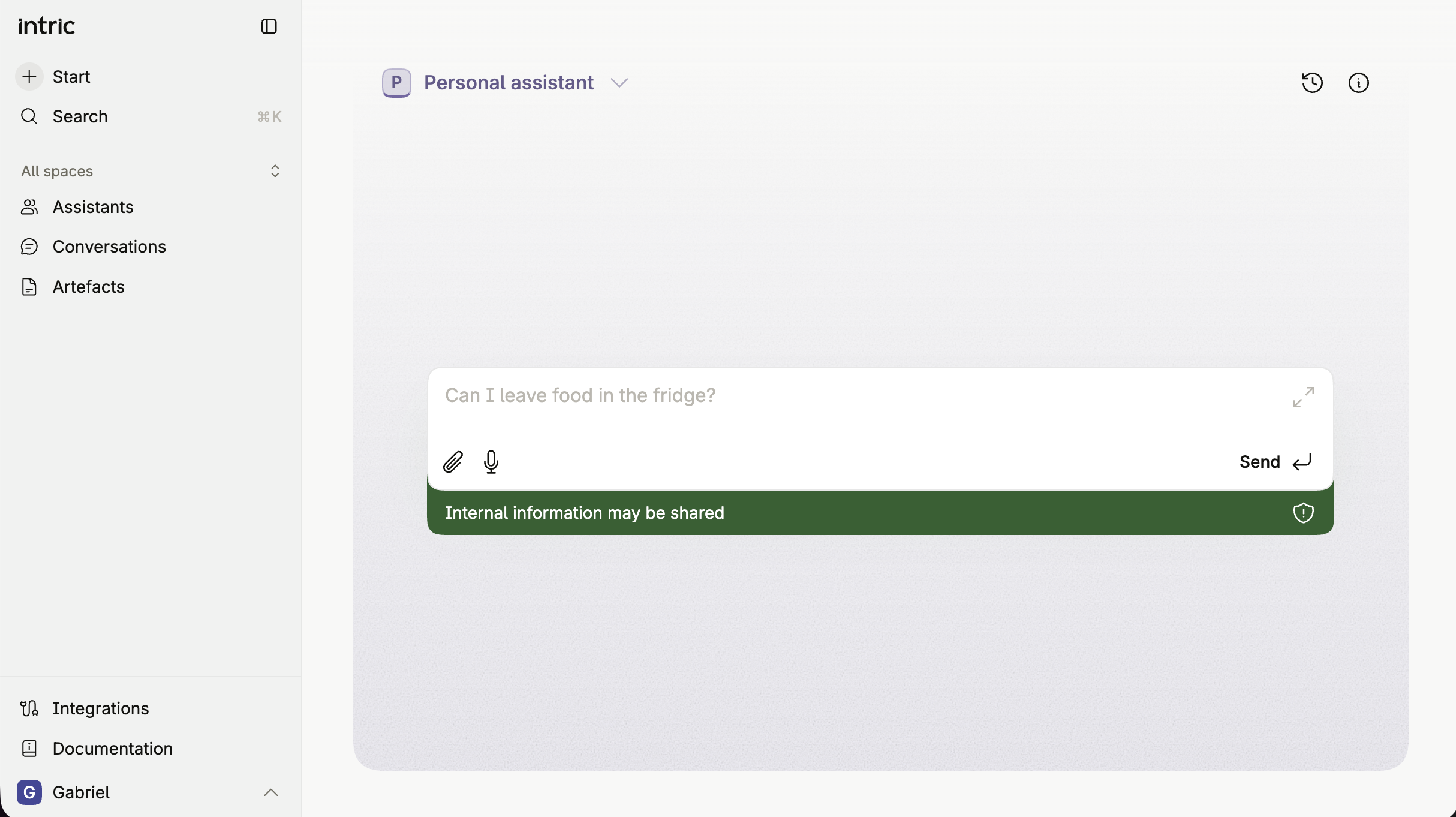
Read more in the Help Center:
Intranet crawler
Section titled “Intranet crawler”Intric now supports crawling and searching your organisation’s internal intranet directly from an assistant. Built on the MCP standard, the Intranet crawler lets you index login-protected intranet content — such as employee handbooks, policy documents, and internal wikis — and make it searchable within Intric conversations.
Key capabilities include:
- Search Intranet — Assistants can search indexed intranet content and return relevant results in response to user queries, respecting the permissions of the configured service account.
- User-suggested corrections — Users can flag outdated or inaccurate content. Suggestions are routed to administrators for review and approval before changes are applied.
Security classification rules apply to the Intranet crawler in the same way as other tools in Intric.
Contact support@intric.ai to initiate setup. Read more about the Intranet crawler in the articles below.
Intranet crawler Installation and configuration guide
Assistant configuration warnings
Section titled “Assistant configuration warnings”When an assistant cannot respond due to a configuration problem — for example because its model has been disabled or a security classification has changed — Intric now surfaces this issue before a conversation begins, rather than after sending a message.
- Creators and Collaborators will see a highlighted indicator in the assistant settings, guiding them directly to the setting that needs attention.
- Users will see the chat input disabled with a clear message indicating that the assistant needs to be reconfigured by its owner.
This feature is available in the updated interface (V4).
New model: Claude Opus 4.7
Section titled “New model: Claude Opus 4.7”Claude Opus 4.7 is now available for activation by administrators.
First message saved immediately
Section titled “First message saved immediately”When you start a new conversation, your message is now saved as soon as you send it — before the assistant has responded. If you navigate away and return, your message will already be there, along with any file that is still being processed.
Conversations stay consistent when re-opened
Section titled “Conversations stay consistent when re-opened”A bug where re-opening a conversation could show an older version of the exchange — missing messages you had sent in a previous session — has been resolved. Conversations now accurately reflect all messages you have sent, without needing to refresh the page.
Improved context handling for long conversations
Section titled “Improved context handling for long conversations”The way Intric manages conversation history within an AI model’s context window has been updated. Earlier messages are now compressed more consistently, which helps maintain reliable responses over extended conversations.
Artifact display fixed in long conversations
Section titled “Artifact display fixed in long conversations”A bug where artifacts would get stuck in a loading state in long conversations has been resolved.
Apr 10, 2026
Section titled “Apr 10, 2026”Backend 1.174.0 · Frontend 1.96.0
SharePoint integration
Section titled “SharePoint integration”Assistants can now access your organisation’s SharePoint Sites directly in conversations. Connect your Microsoft account once, then ask an assistant to find, browse, and read documents across your permitted SharePoint Sites — without leaving Intric.
The integration is read-only: Intric cannot modify, upload, or delete files in SharePoint. Access is governed by your existing SharePoint permissions and limited to the Sites your organisation’s administrator has approved.
Supported file types: PDF, Word (.docx), Excel (.xls, .xlsx), and PowerPoint (.pptx).
How to use the SharePoint integration: SharePoint integration
Admin setup guide: Configure the SharePoint integration
Open spreadsheet files
Section titled “Open spreadsheet files”You can now open and view .csv and .xlsx files directly within the platform.
Progress indicators for file operations
Section titled “Progress indicators for file operations”File operations such as analysis and redaction now display a progress bar, giving you visibility into where a file is in the processing pipeline.
Masking tool (Beta)
Section titled “Masking tool (Beta)”Assistants can now assist with the document redaction process based on a conversation. Upload a document, describe what should be masked, and the assistant will initiate the masking process using the categories you discussed — without requiring manual configuration each time.
This feature is currently in beta. Please contact us with feedback from testing.
Faster transcription
Section titled “Faster transcription”Transcription now runs on a dedicated service, resulting in faster processing times. Cloud customers benefit automatically.
Faster loading of large files
Section titled “Faster loading of large files”Large files — such as PDFs and emails — now load faster when opened. Files are retrieved directly from storage rather than via the database, reducing wait time when working with large documents.
Improved performance for long conversations
Section titled “Improved performance for long conversations”Long conversations now scroll more smoothly, particularly on lower-powered hardware. The platform now renders only the messages near your current position rather than the full conversation at once, resulting in a more responsive experience.
Clearer error handling for misconfigured assistants
Section titled “Clearer error handling for misconfigured assistants”When an assistant cannot respond due to a configuration issue — such as the selected model being unavailable — the platform now displays a specific message explaining the problem. Assistants with configuration issues also show a warning directly in the assistant view before a conversation begins, helping users identify and resolve issues earlier.
Transcription failure shown clearly
Section titled “Transcription failure shown clearly”When a transcription fails, the platform now displays a clear failure message rather than appearing as though processing is still ongoing.
Mar 29, 2026
Section titled “Mar 29, 2026”Backend 1.169.0 · Frontend 1.92.0
Sub-processor transparency in AI model tables
Section titled “Sub-processor transparency in AI model tables”Each AI model in the admin panel now includes a dedicated Sub-processor column. This shows which company directly processes data when a given model is used. For models accessed via external APIs, this is the respective model vendor. For models hosted by Intric, it reflects the underlying infrastructure provider.
Invite individual assistant collaborators
Section titled “Invite individual assistant collaborators”Space administrators can now grant a specific user editing access to a single assistant, without giving that user broader access to the rest of the space. To add a collaborator, open the assistant settings and add a space member from there. This is the first step toward more precise, assistant-level permission management.
ℹ️ This feature is currently available in V4 of Intric. Both permission systems are running in parallel during the transition.
CSV export for admin data tables
Section titled “CSV export for admin data tables”All tables in the administration section now include an export button in the table footer. Click it to download the full table as a CSV file — useful for reporting, auditing, or further analysis.
Attachment recovery across sessions
Section titled “Attachment recovery across sessions”Files that have been uploaded but not yet sent in a conversation are now preserved if your session expires or you close the browser tab. When you return, you will be prompted to recover or discard any pending files — so no upload is lost by accident.
Token usage per user group
Section titled “Token usage per user group”The Usage section now includes a new table showing token consumption broken down by user group, in addition to the existing per-model breakdown. Navigate to Usage > Tokens and scroll down to find the new table.
New model: GPT 5.4
Section titled “New model: GPT 5.4”GPT 5.4 is now available for activation by administrators.
Platform view for administrators
Section titled “Platform view for administrators”Org-wide administrators now see spaces and their content as regular users do when browsing the platform — only content they have membership access to will appear. Full administrative access remains available through the admin section.
Breaking change — self-managed Zitadel installations only
If your organization manages its own Zitadel authentication instance (not managed by Intric), you must update the access token type to JWT format in your Zitadel login application configuration. Login will not function correctly until this change is made.
Organizations using Intric’s managed Zitadel instance are not affected.
Mar 20, 2026
Section titled “Mar 20, 2026”Version 1.88.0
Redacting PDFs
Section titled “Redacting PDFs”You can now redact personal information from PDF files directly within your conversations.
To use redacting, upload a PDF in a conversation. Once Intric has processed and understood the file, open it in the side panel. A new Redact button will appear in the toolbar. You can configure the redacting process using the settings icon, then click Redact to automatically detect and remove personal information from the document. When redacting is complete, you can download the redacted PDF directly from the same view.
PDF redacting is available to all users whenever a PDF is uploaded in a conversation.
Read more about how to redact PDFs here
Insights
Section titled “Insights”A new Insights section is now available for organization administrators, giving you an overview of how the platform is being used across your organization.
The Insights page includes:
- Key metrics — total messages sent, messages per user, and counts of active users and assistants for the selected time period
- Message history — a chart showing how message volume has developed over time, viewable per day or as a running total
- Top assistants — a ranked list of the five most active assistants by message volume
- User engagement — a visual overview showing how many users are active and how broadly usage is distributed across the organization
- Usage heat map — highlighting when during the week activity tends to peak
- Trending assistants — assistants growing in message volume or number of users
- Assistant usage table — a full breakdown of messages and users per assistant, filterable by space
The admin menu has also been reorganized. Insights and Usage are now grouped together, while Resources and Audit log have been moved into their own compliance-focused section.
Improved conversation title generation
Section titled “Improved conversation title generation”Conversation titles are now automatically generated with better quality. Titles will be shorter and more to the point, making it easier to find and recognize previous conversations in your history.
PDF viewer sizing
Section titled “PDF viewer sizing”When opening a PDF in full-screen view, it now opens at a comfortable, readable size rather than stretching to fill the entire screen. You can still zoom in manually if needed.
Mar 13, 2026
Section titled “Mar 13, 2026”Version 1.87.0
Improved artifact experience
Section titled “Improved artifact experience”Artifacts — the documents and content the assistant creates in the side panel — have been updated with several usability improvements.
Editable artifact titles
You can now click the title of any artifact to rename it. The name is reflected both in the artifact itself and in the side panel, making it easier to keep track of your work.
Starred artifacts
A new star icon next to the artifact title lets you mark any artifact as a favourite. Starred artifacts appear in a dedicated section on the landing page, next to your assistants and spaces, giving you quick access to the documents you use most.
Simplified version history
Artifact version history is no longer shown in the interface. Every artifact now always displays the latest version, regardless of which point in the conversation it was created. This removes clutter and makes navigation more predictable. Previous versions are still preserved in the conversation history, so you can ask the assistant to revert to an earlier version at any time.
Full-screen mode (Experimental)
It is now possible to fully minimise the artifact side panel, collapsing it to a small pill in the bottom-left corner. This gives you more space for the conversation when you don’t need the artifact visible. You can expand it back into the floating or full-screen view at any time. This is an experimental feature — feedback is welcome.
Improved files and attachments experience
Section titled “Improved files and attachments experience”Attachments in conversations have a refreshed look. Images now open in the side panel instead of an overlay, keeping everything in one place. This is part of an ongoing effort to consolidate how content is viewed and edited within the platform.
Conversation search
Section titled “Conversation search”A new search icon in the conversation panel lets you search through your recent conversations by keyword. This makes it easier to find a previous session without scrolling through the full list.
User display names
Section titled “User display names”The platform now shows users’ full names throughout the interface — in invitations, space member lists, and other places where users are listed. Previously, only email addresses were shown.
If you log in via an external identity provider (such as Google or Microsoft), your name is pulled in automatically. You can also set or override your display name in your profile settings at any time.
Improved file recovery
Section titled “Improved file recovery”It is now easier to recover and retry failed file uploads without having to start over.
Mar 6, 2026
Section titled “Mar 6, 2026”Version 1.86.0
Create Assistant in the new interface
Section titled “Create Assistant in the new interface”You can now create a new assistant directly from the updated interface. The flow guides you through the setup step by step — starting with just a name, and letting you configure the rest as you go. Assistants begin as drafts that you can use and test before making them available to others.
Editable conversation titles
Section titled “Editable conversation titles”You can now rename your conversations directly in the interface — both from the conversation list and from within an open conversation. This makes it easier to organize and find your previous sessions. Conversation titles are still suggested automatically based on context, but you are now free to change them to whatever works best for you.
File input for Plans (Beta)
Section titled “File input for Plans (Beta)”When executing a Plan, you can now attach a file as input. This allows Plans that require external files to work with documents you provide at the time of execution.
Plans is a beta feature available to select customers. Contact support@intric.ai to have it enabled for your account.
NBWhisper transcription model
Section titled “NBWhisper transcription model”A Norwegian transcription model, NBWhisper, is now available. This model is hosted by the National Library of Norway and is suited for transcription of Norwegian speech.
New model: GPT 5.3 Instant
Section titled “New model: GPT 5.3 Instant”GPT 5.3 Instant, a new completion model, is now available for activation by administrators.
Skolverket as a tool (Swedish customers)
Section titled “Skolverket as a tool (Swedish customers)”Swedish customers can now add Skolverket as a tool for their assistants. This enables assistants to answer questions related to Swedish school curriculum and guidelines directly from Skolverket’s content.
XML file upload support
Section titled “XML file upload support”You can now upload XML files to the platform, in addition to the other supported file types.
Faster document processing
Section titled “Faster document processing”The document ingestion pipeline has been optimized to process files more efficiently. For files that contain only text — without images, drawings, or complex layouts — processing is now noticeably faster, as the system can skip heavier analysis steps that are not needed. Files with complex content continue to be processed with full accuracy.
Feb 27, 2026
Section titled “Feb 27, 2026”Version 1.84.0
Resources tab for administrators
Section titled “Resources tab for administrators”A new Resources tab has been added to the Admin view, providing a comprehensive overview of all assistants and spaces in the platform.
Administrators can see which models each assistant uses, their security classification, and who created them. They can also see all spaces created in the platform, their security classifications and members.
Example questions for assistants
Section titled “Example questions for assistants”Assistants can now display up to 10 example questions directly in the chat input field. These questions serve as inspiration to help users understand what they can ask and how to use an assistant effectively. Example questions can be configured for both the personal assistant and custom assistants, and appear when users start a new conversation.
This feature complements the recent change that moved assistant descriptions into an information dialog, ensuring users still receive guidance on how to use each assistant.
Spaces management in Intric V4
Section titled “Spaces management in Intric V4”Users with appropriate permissions can now create and manage spaces directly in Intric V4, without needing to access Portal. This includes creating new spaces, adding members, and configuring security classifications.
Assistant settings in Intric V4
Section titled “Assistant settings in Intric V4”Assistant configuration is now available in Intric V4. Users can edit assistant settings directly from conversations, including configuring tools and managing assistant properties.
Dashboard redesign
Section titled “Dashboard redesign”The dashboard has been redesigned with a new bento grid layout, providing a more modern and organized view of your workspace.
Extended plan execution view
Section titled “Extended plan execution view”Plan executions now offer two viewing modes:
- Compact view: A streamlined overview (previously available)
- Extended view: Shows the complete execution details, including all reasoning and steps the system performed
The extended view is particularly useful for troubleshooting and understanding how a plan executed.
Conversation summaries
Section titled “Conversation summaries”Users can now generate summaries of their conversations, making it easier to review and reference previous interactions.
Enhanced assistant picker
Section titled “Enhanced assistant picker”The assistant selection experience has been improved with:
- Inline autocomplete functionality
- Cmd+K (Mac) or Ctrl+K (Windows/Linux) keyboard shortcut to quickly open the assistant picker
- Full keyboard navigation support
- New visual design integrated into the conversation interface
Improved assistant information dialog
Section titled “Improved assistant information dialog”The assistant information dialog has been redesigned to provide clearer, more structured information about each assistant’s capabilities and purpose.
Keep screen awake during recording
Section titled “Keep screen awake during recording”When recording audio, the system now prevents your screen from sleeping, ensuring uninterrupted recording sessions.
Record computer audio
Section titled “Record computer audio”Audio recordings can now capture computer audio in addition to microphone input, enabling users to record system sounds, application audio, and other computer-generated audio alongside their voice input.
Better error messages
Section titled “Better error messages”Error messages have been improved to provide more specific information. For example, when importing an assistant from the library and a required model is not available in your space, the error message now indicates which specific component (such as the completion model) was not found, rather than displaying a generic “not found” message.
Personal assistant data retention
Section titled “Personal assistant data retention”Administrators can now configure data retention policies for the personal assistant, allowing control over how long conversation data is stored.
Security classification for tools
Section titled “Security classification for tools”Tool configurations now include security classification settings, providing administrators with more granular control over data handling compliance.
New models
Section titled “New models”Azure-hosted GPT-5 and GPT-5.1 (EU region) are now available for activation by administrators.
Feb 20, 2026
Section titled “Feb 20, 2026”Version 1.82.1
New V4 landing page
Section titled “New V4 landing page”The platform now features a redesigned landing page that provides easier access to your assistants and a clearer overview of your recent activities. When you log in, you’ll see your latest conversations and plan executions in an improved layout, helping you quickly continue where you left off. This is the first step in surfacing more relevant information to help you work more efficiently in the platform.
You can try out the new landing page by pressing your profile on the top right and selecting “Try the new Intric”.
Keyboard shortcuts for power users
Section titled “Keyboard shortcuts for power users”You can now press Command+K (or Ctrl+K on Windows) to open the assistant switcher. Start typing the name of an assistant, and the system will auto-complete your search. Press enter to switch to that assistant immediately. This provides faster navigation without needing to use your mouse.
In-page assistant editing
Section titled “In-page assistant editing”Assistant settings can now be edited without leaving your current page. Click the cog wheel icon in either the V4 interface or within a conversation to open the assistant settings dialog. This allows you to make configuration changes while staying in your workflow.
OAuth support for MCP servers
Section titled “OAuth support for MCP servers”MCP servers that require authentication through an identity provider are now supported. When an MCP server is configured with OAuth, each user logs in individually through their own account. This ensures that tool access and permissions are tied to each person’s credentials.
To use an MCP server with OAuth, connect to it through your profile settings the same way you would connect to any other integration that requires login.
Assistant Library
Section titled “Assistant Library”You can now publish and share assistant examples with other Intric organizations through the new Assistant Library. This feature allows you to collect and showcase effective assistant configurations that others can reference.
When you publish an assistant to the library, you share its configuration details including the description, model selection, and knowledge sources used. The library is found on the Library page
Mobile recording improvements
Section titled “Mobile recording improvements”Recording audio on mobile devices (iOS) no longer causes the screen to go to sleep. This has been confirmed to work on recent iOS versions and iPhones, allowing you to record longer audio messages without interruption.
Assistant descriptions moved to info dialog
Section titled “Assistant descriptions moved to info dialog”Assistant descriptions are no longer displayed by default in the assistant view. Instead, they are now available in an expanded assistant information dialog. This change addresses feedback about long descriptions creating visual clutter and discouraging users from engaging with assistants.
The assistant information dialog now supports rich formatting through markdown, allowing descriptions to include links, images, and videos. This provides a better learning experience for users who need detailed information about how an assistant works, while keeping the interface clean for experienced users who are already familiar with their tools.
Click the information icon to access the full assistant description when you need it.
Increased history dialog size
Section titled “Increased history dialog size”The conversation history dialog has been enlarged to make it easier to browse and find previous conversations.
New models available
Section titled “New models available”Claude 4.6 Sonnet is now available for activation by administrators.
Feb 13, 2026
Section titled “Feb 13, 2026”Version 1.81.0
Conversation summarization
Section titled “Conversation summarization”Intric now automatically manages long conversations to extend context handling. When a conversation approaches the model’s token limit (at approximately 90% capacity), the system summarizes earlier messages to make room for continued dialogue.
During summarization, you will see a brief notification in the chat interface. Once complete, the conversation continues with the extended context.
This feature works best with conversations containing multiple shorter messages. Individual messages that are very large may still encounter context limitations.
Data retention settings for personal assistant
Section titled “Data retention settings for personal assistant”You can now configure data retention policies for your personal assistant. Access this setting through the personal assistant menu to control how long your conversation data is stored.
Security classification for tools and MCP servers
Section titled “Security classification for tools and MCP servers”Administrators can now set security classification requirements for tools and MCP servers. This allows you to restrict certain tools to specific security classifications, ensuring they are only available in appropriate contexts.
Configure tool classifications in the admin settings under tool configuration.
EU-hosted GPT-5 and GPT-5.1 models
Section titled “EU-hosted GPT-5 and GPT-5.1 models”Azure-hosted GPT-5 and GPT-5.1 models are now available for activation by administrators, meeting EU data residency requirements. These models require Azure module configuration by your administrator.
API key management restricted to administrators
Section titled “API key management restricted to administrators”Only administrators can now create API keys. This change strengthens security controls around API access.
Existing API keys created by users or creators will continue to function, but new API keys can only be generated by administrators. This is an interim measure while Intric develops a service account system that will provide more granular API access controls.
Plans scheduling enhancements
Section titled “Plans scheduling enhancements”The plans scheduling interface now offers more detailed control over when automated workflows run. You can configure specific times and recurrence patterns through both the user interface and by asking the assistant to set up schedules.
Swedish-hosted model improvements
Section titled “Swedish-hosted model improvements”The Swedish-hosted gpt-oss 120b model has received improvements to speed, stability, and tool calling reliability.
File attachments for plans
Section titled “File attachments for plans”Plans can now be started with file attachments, allowing workflows to process specific files as part of their execution.
Feb 6, 2026
Section titled “Feb 6, 2026”Version 1.79.2
Plans (Beta)
Section titled “Plans (Beta)”Plans is a new beta functionality currently being tested with select customers. Create multi-step workflows that execute automatically or on a schedule.
Key capabilities include:
- Create and manage multi-step automated workflows
- Start plans directly through conversation with the assistant
- Edit and manage plans from different conversations within the same assistant
- Schedule plans to run automatically at specified times
- Bookmark plans for quick access from the plans panel
- Execute plans manually or on a recurring schedule
Plans are organized on an assistant-basis, with each assistant maintaining its own set of plans.
To test this feature, contact support@intric.ai to have it unlocked for your user.
Document ingestion performance
Section titled “Document ingestion performance”The document ingestion pipeline now processes files faster.
Message queueing
Section titled “Message queueing”Send new messages while the assistant is responding. This stops the current response and immediately starts processing your new message for a more natural conversation flow.
Floating window mode
Section titled “Floating window mode”Separate the chat interface from artifacts, PDFs, or other content with the experimental floating window feature. View content in full screen while maintaining the ability to interact with it through the chat.
Model information
Section titled “Model information”The model selection interface now includes a provider column, showing which entity delivers each model alongside the organization that developed it.
Improved search performance
Section titled “Improved search performance”Semantic search now runs faster for knowledge base queries.
New models
Section titled “New models”Claude Opus 4.6 is now available for activation by administrators.