2 articles · 1 min read
Models
Enable models, review their sub-processor and cost, and choose which are available where.
The Models view lists every model available to your organization and lets you decide which are enabled. Each row shows the model’s type and the sub-processor that actually receives your data when it runs, which is the column that matters most for a DPA review.
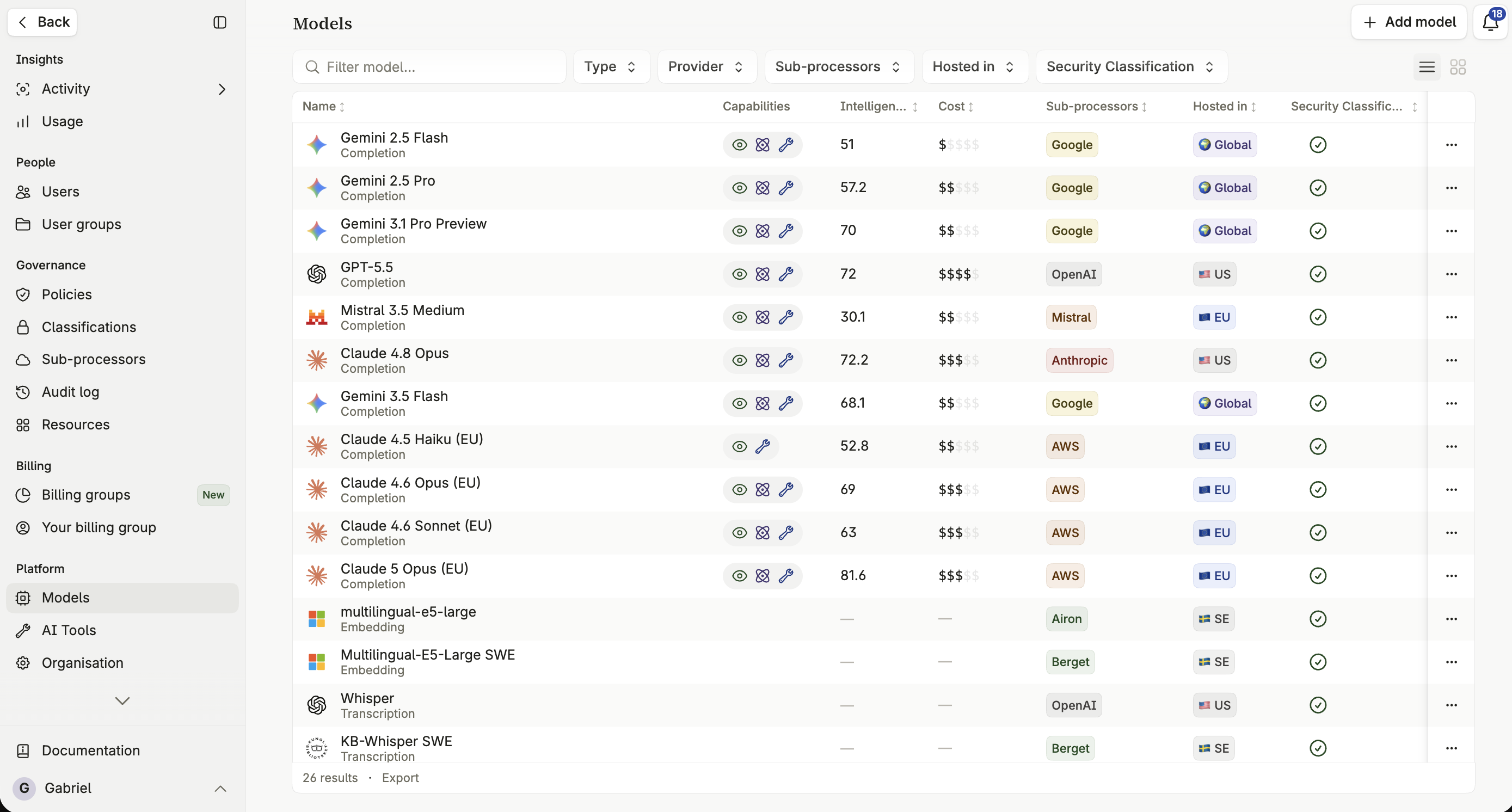
Only models an Admin has added appear here, and only those can be used. See Adding models to add more from the catalogue, and Custom models to connect a model Intric doesn’t offer.
The four model types
Section titled “The four model types”- Completion models — the engine behind an assistant’s reasoning and text generation.
- Embedding models — convert documents into searchable vectors for knowledge search.
- Transcription models — convert speech to text.
- Image models — generate and edit images from text descriptions.
The sub-processor column
Section titled “The sub-processor column”Each model’s row shows its sub-processor: the model vendor for a model accessed through an external API, or Intric’s own infrastructure provider for a model Intric hosts itself. Use this column when reviewing Data Processing Agreements or deciding which models suit a given security classification.
Curated picks
Section titled “Curated picks”Beyond individual models, Intric offers four curated picks assistants can use instead of naming a specific model: Balanced, Fast, Economical, and Smartest. Each one tracks a good current model for that priority as the underlying catalogue evolves.
An assistant set to a pick is bound to the pick rather than to the model behind it on the day it was created, so it follows the catalogue as you change what’s enabled here. The assistants table shows each one’s pick together with the model it currently resolves to.
How to choose which models to enable
Section titled “How to choose which models to enable”A few principles worth applying when deciding which models to enable and where:
- Most modern models are general-purpose and handle everyday tasks well — don’t over-complicate the choice.
- Use a fast model for the personal assistant and simple tasks; reserve models with stronger reasoning for complex analysis.
- Limit access to the most capable — and often most expensive — models to the classifications where they’re genuinely needed.