2 articles
Artefacts
The documents, presentations, spreadsheets and code an assistant produces, and where they are kept.
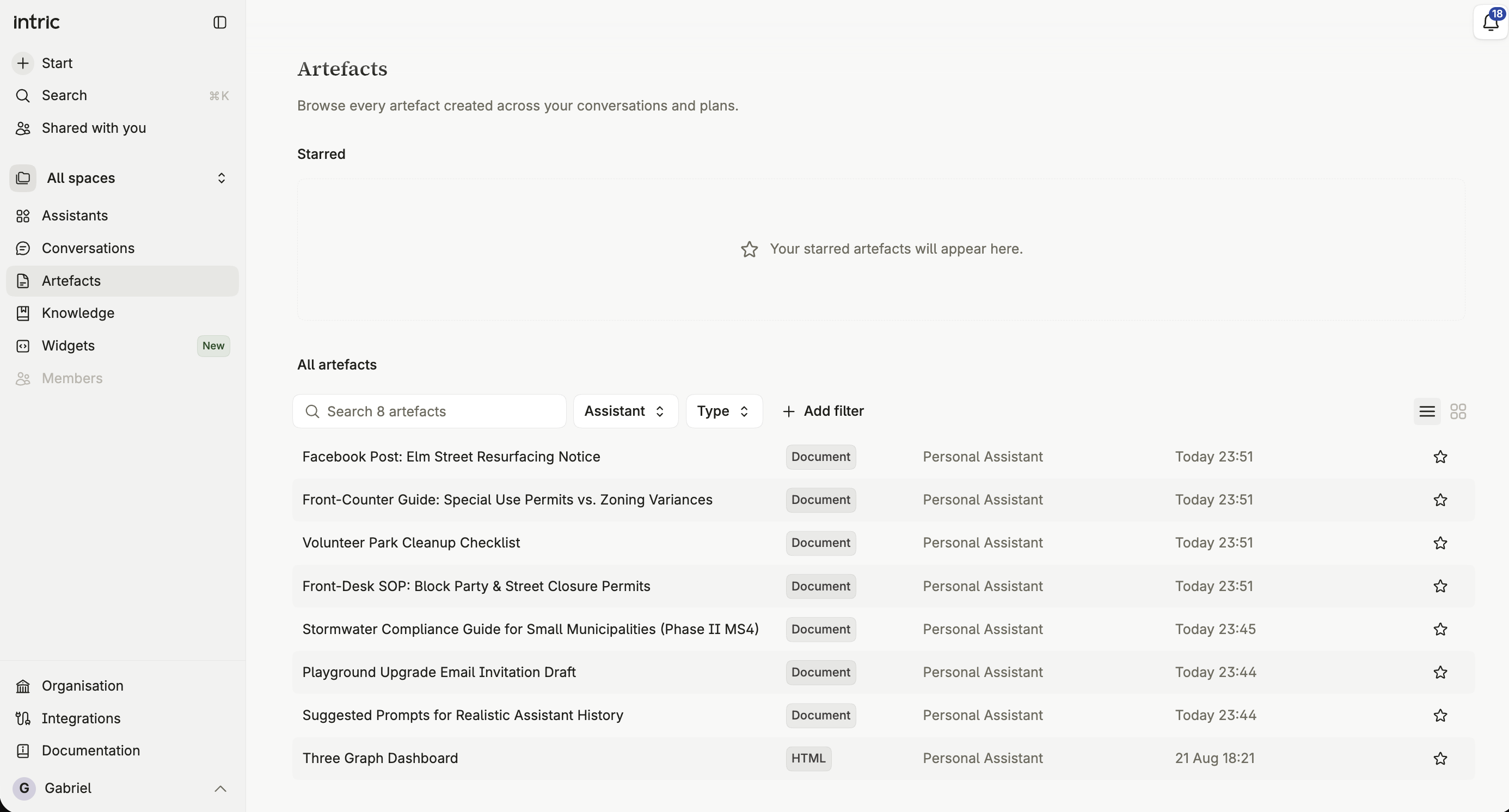
When an assistant produces something you’d want to keep — a document, a presentation, a spreadsheet, a diagram — it becomes an artefact rather than a block of text in the chat. Artefacts open beside the conversation, can be edited, starred, downloaded and shared, and they collect in the Artefacts tab.
What the Artefacts tab shows
Section titled “What the Artefacts tab shows”Every artefact created across your conversations and plans, in one place — starred ones grouped separately from the full list.
Starring an artefact
Section titled “Starring an artefact”Star an artefact to keep it easy to find again. Starred artefacts get their own section at the top of the tab.
Filtering by type and source
Section titled “Filtering by type and source”Narrow the list by type — document, presentation, spreadsheet, code, HTML, SVG, Mermaid — or by source, to separate what came from a conversation from what a plan produced.
Working through this section
Section titled “Working through this section”What are artefacts? covers the concept and the supported formats. Artefact design covers matching your organization’s visual identity.