Governance · 1 min read
Audit log
What the platform records, how to filter and export it, and what it can and cannot answer.
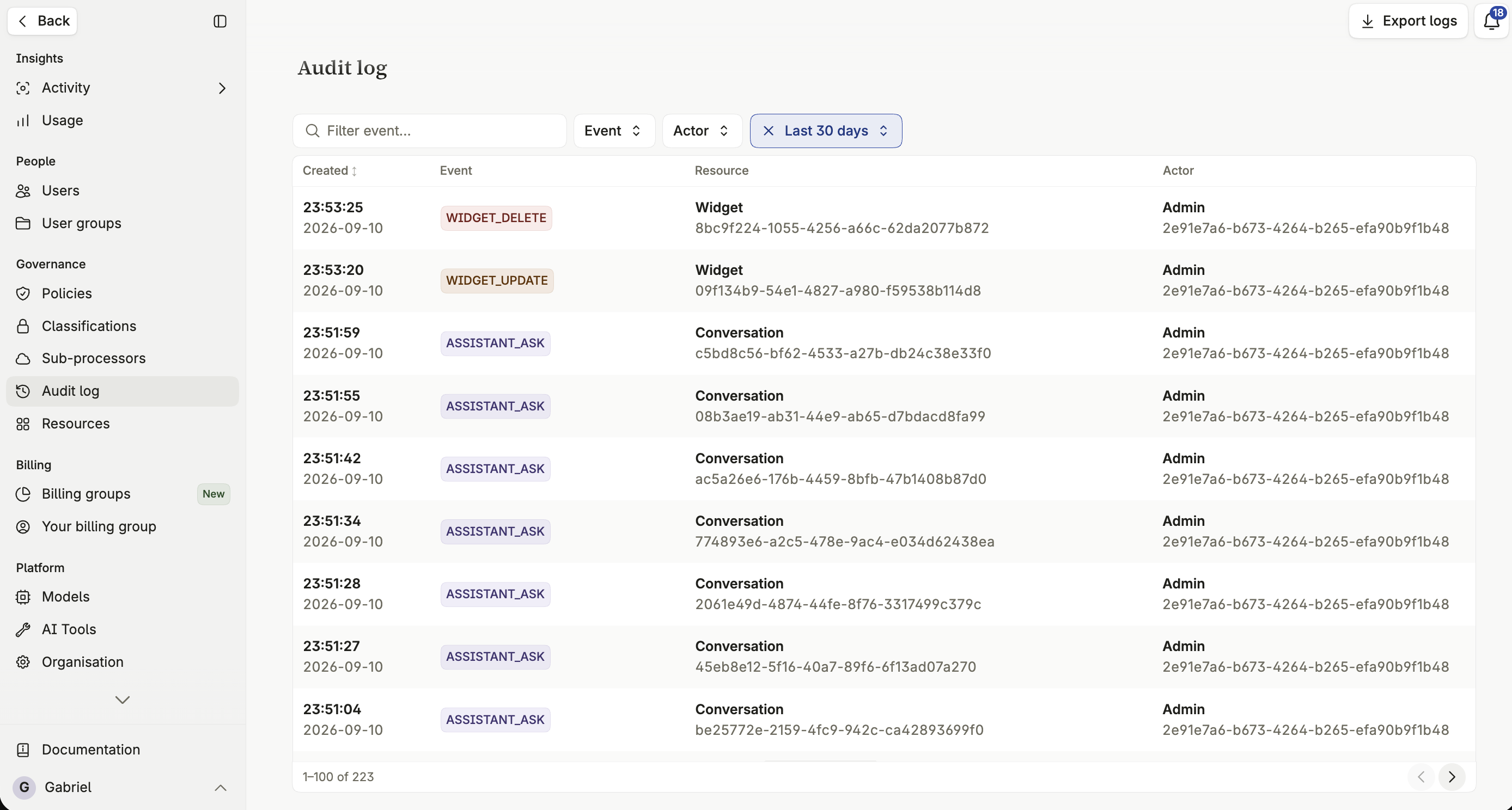
The audit log records administrative actions and significant user interactions, so that changes to the platform and use of it leave a trace. It’s what you reach for during a compliance review, an incident, or when you need to explain how a configuration came to be as it is.
What is logged
Section titled “What is logged”Assistants
Section titled “Assistants”All handling of assistants — created, modified, deleted. Who performed the action, the assistant’s name, its Space, and its model. Previous settings are saved when a change is made.
Spaces
Section titled “Spaces”Creation and administration of Spaces — who created or modified one, changes to its security classification, and deletion.
Interaction
Section titled “Interaction”Questions and conversations — every question, including the model used and any attachments, and when a conversation is permanently deleted.
Use and connection of tools — connecting or modifying an integration, and a user’s approval or denial of a tool run.
All file handling — upload, deletion, and AI generation. File type, category and size are always saved.
Security
Section titled “Security”Global security settings — creation of security classifications, and critical changes affecting the organization’s security posture.
Management of user accounts — invitations, role changes, deactivation and reactivation, and account removal.
Filtering the log
Section titled “Filtering the log”Narrow the log by category, by date range, or by the user who performed an action, to find a specific event rather than scrolling the whole history. Once filtered, export it as CSV for that same view — see Exporting table data as CSV.
Retention and access
Section titled “Retention and access”The audit log is visible to organization Admins. How long entries are retained follows your organization’s own record-keeping requirements — check with your administrator for the specific retention period configured for your organization.
What the audit log does not cover
Section titled “What the audit log does not cover”The audit log records administrative and interaction events — it isn’t a full-text copy of every document ever processed. It also doesn’t log activity that happens entirely inside a connected third-party system, beyond the fact that a tool was called.