Create an assistant · 1 min read
AI setup
Choose a completion model — curated pick or specific model — plus transcription, image and additional capabilities.
AI Setup decides which models power the assistant. You can take one of Intric’s curated picks, which track a good current model in each category, or name a specific model and stay on it.
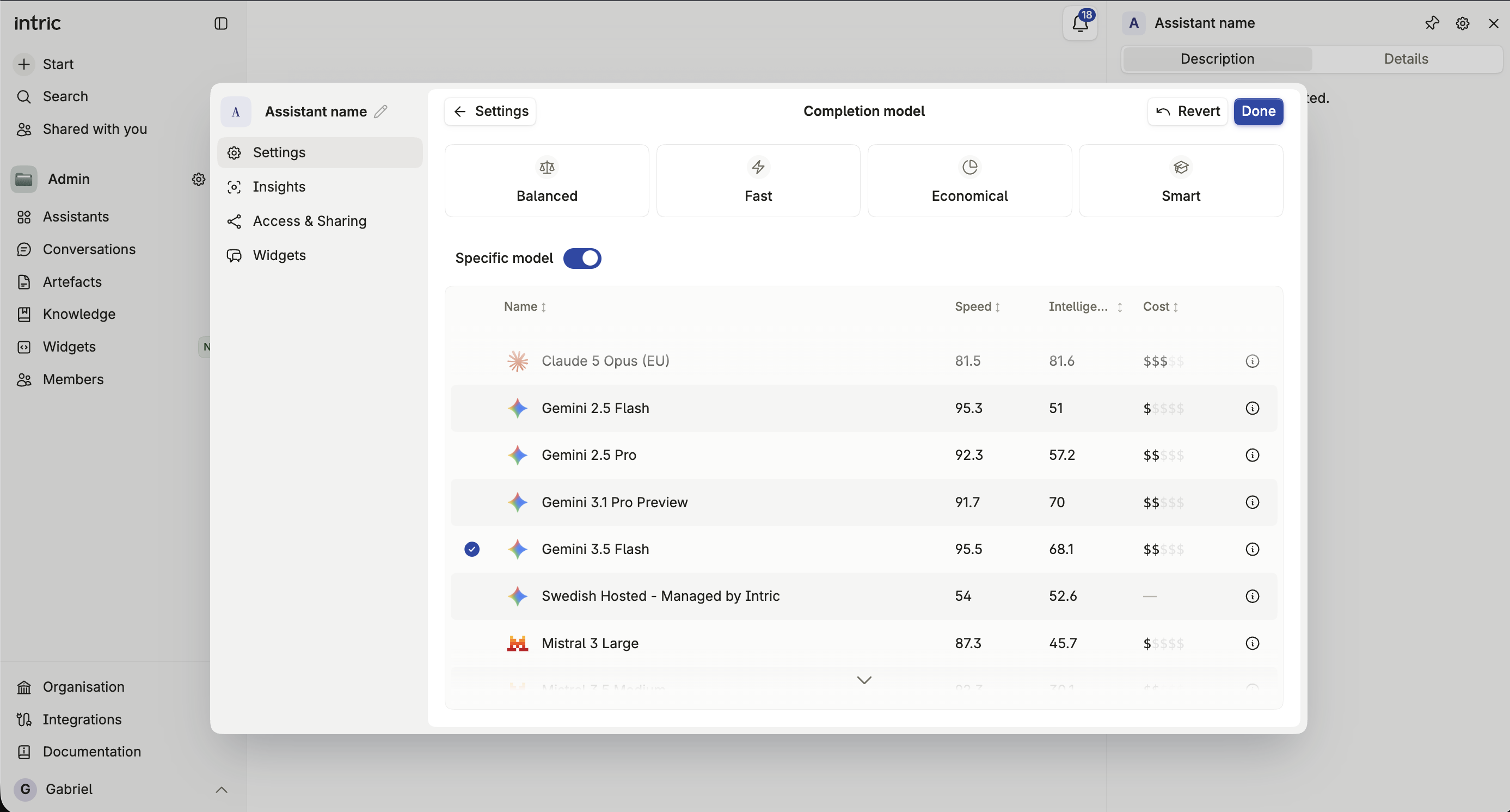
Completion model
Section titled “Completion model”Curated picks
Section titled “Curated picks”Four curated options, each weighing quality, speed, and cost differently:
- Balanced — weighs answer quality, cost and speed together. Selected by default.
- Fast — prioritizes response time, for chat that should feel instant.
- Economical — prioritizes low running cost, for simple or high-volume tasks.
- Smartest — prioritizes reasoning quality over cost and speed.
What a curated pick binds to
Section titled “What a curated pick binds to”An assistant set to a curated pick is bound to the pick itself, not to whichever model happened to be current on the day it was created. As Intric’s catalogue moves, the assistant follows the pick. The assistant’s info dialog, and the assistants table in Administration, show the pick together with the model it currently resolves to, so you can always see what is actually answering.
Choosing a specific model
Section titled “Choosing a specific model”Switch to a specific model to pin that exact model instead. An assistant set this way stays on it, and does not move with the catalogue.
Transcription and image models
Section titled “Transcription and image models”Both are shown only if your organization has the relevant models configured. The transcription model turns recorded or uploaded audio into text — see Transcription — while the image model generates and edits images — see Image generation.
Additional capabilities
Section titled “Additional capabilities”Beyond the models above, an assistant can be given additional capabilities — transcription, image generation, and other tools your organization has enabled. See Abilities for what’s available and how each one works.
Why a model might not appear
Section titled “Why a model might not appear”The models offered here are filtered by the Space’s security classification. If a model you expect to see is missing, it’s most likely not approved for this Space’s classification — or it runs outside the processing regions that classification permits. See Security classification.
If you pick a model the classification doesn’t allow, or move the assistant into a Space whose classification rules it out, the refusal names the model that is blocking it rather than returning a generic error.