Create an assistant · 2 min read
Skills
Teach an assistant a specific procedure it can recognise and follow, written by hand or uploaded as a bundle.
A Skill is a named procedure an assistant can follow when it recognizes the situation it applies to. Skills keep an assistant’s instructions short. Instead of describing every task the assistant might face in one long set of instructions, you describe each task once as a Skill, and the assistant picks the right one when it’s needed.
What a Skill is
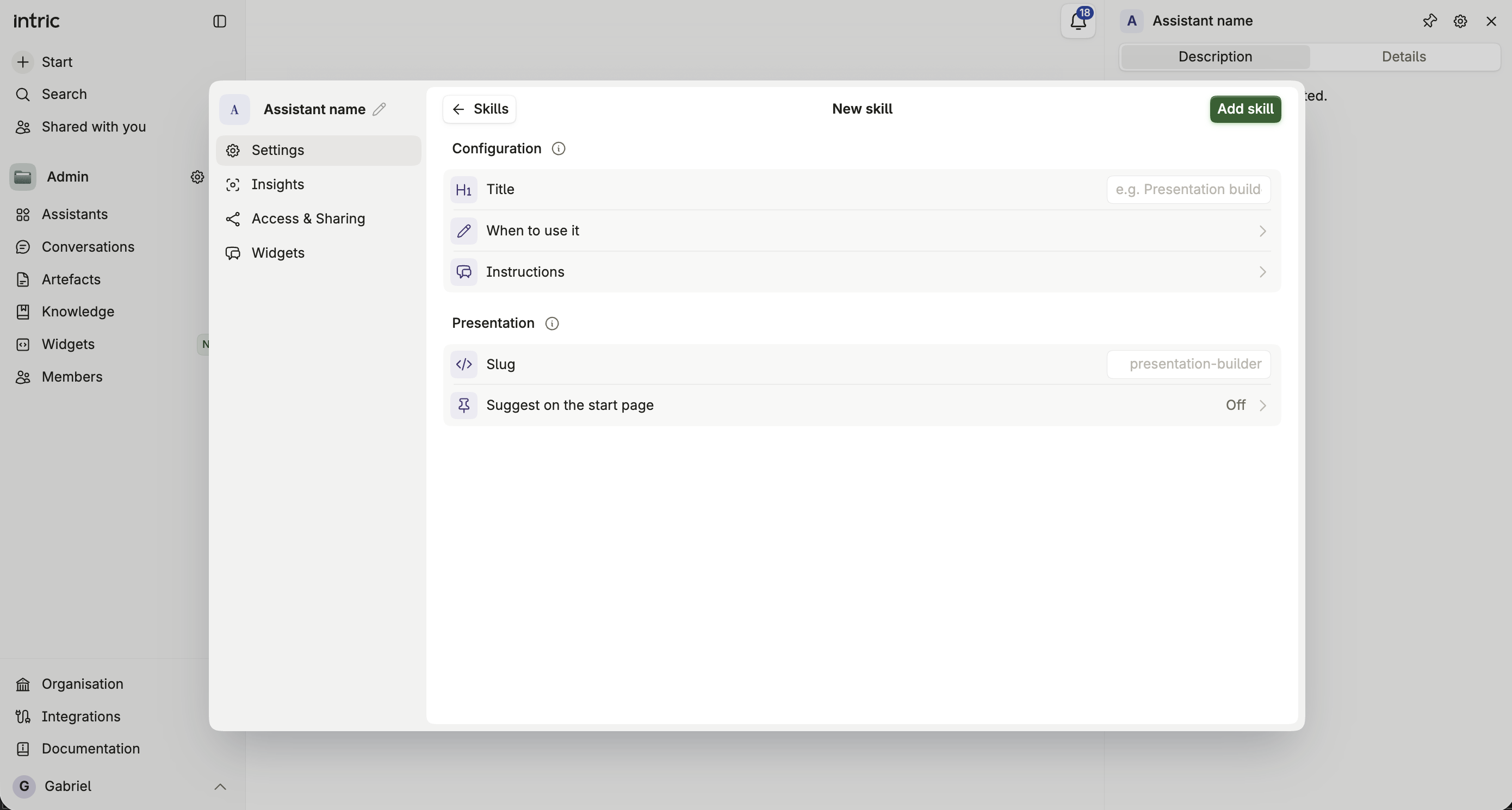
Section titled “What a Skill is”Each Skill has a title, a short description of when to use it, and the instructions to follow once it’s active. The assistant reads the descriptions of all its Skills to decide which one — if any — applies to what you’ve just asked.
Writing a Skill
Section titled “Writing a Skill”- Title — a short, clear name, for example “Presentation builder.”
- When to use it — how the assistant decides this Skill applies. This description loads into every conversation, so keep it short and specific.
- Instructions — what the assistant should do once the Skill is active. Markdown is supported, so you can structure a real procedure with headings and steps.
- Slug — a lowercase, hyphenated identifier, up to 64 characters. It can’t be changed after creation, and it’s what makes the Skill callable directly.
Calling a Skill directly
Section titled “Calling a Skill directly”Every Skill is callable with /{slug} in a conversation, so you can trigger it explicitly instead of waiting for the assistant to recognize it from context.
Uploading a skill bundle
Section titled “Uploading a skill bundle”Instead of writing a Skill by hand, you can upload a zip bundle that follows the Agent Skills specification — a SKILL.md file plus any reference files it needs.
A bundle can include a PowerPoint (.potx) or Word (.dotx) template. Once the Skill is active in a conversation, the presentations and documents the assistant builds there can use it. See Building on your own template.
Suggesting a Skill on the start page
Section titled “Suggesting a Skill on the start page”Toggle a Skill to have it suggested to users on the assistant’s start page, so it’s discoverable without anyone needing to know it exists first.
Removing a Skill
Section titled “Removing a Skill”Removing a Skill can’t be undone. The assistant loses access to it immediately, and you’d need to recreate it from scratch to bring it back.