Create an assistant · 1 min read
Instructions
Write the instructions that set an assistant's baseline behaviour, and know when a Skill is the better place for a procedure.
Instructions are an assistant’s baseline: how it behaves, what it’s for, and how it stays grounded. They load into every conversation, so they’re the right place for general behavior — not for the steps of one particular task.
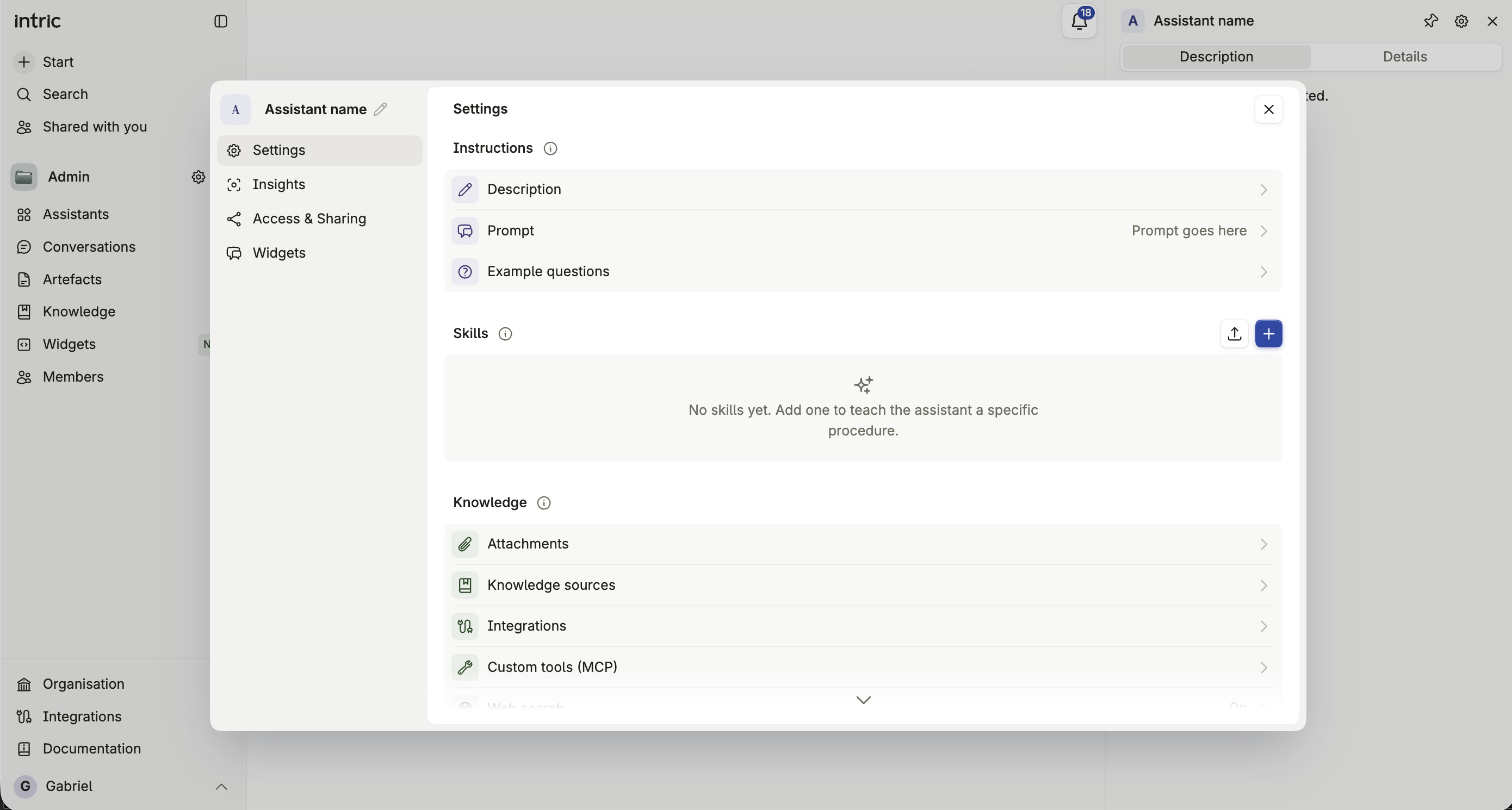
What instructions are for
Section titled “What instructions are for”Good instructions establish the assistant’s role, its tone, and the boundaries of what it should do. The clearer you are, the more consistent the results.
How to write them
Section titled “How to write them”Work through five questions when you draft instructions:
What do you want the assistant to do? Describe it clearly and specifically.
Context
Section titled “Context”Why does this task matter? Give the assistant the background it needs to make good judgment calls.
Format
Section titled “Format”How should the answer look? Tell the assistant how to structure and format its response.
Persona
Section titled “Persona”Who should the assistant act as? Define its role or area of expertise.
What tone should the answer have? Specify the style or feeling you want — formal, warm, concise.
Instructions or Skill?
Section titled “Instructions or Skill?”Keep instructions general and put anything task-specific in a Skill instead. If you find yourself writing “when the user asks about X, do Y, then Z” in the Instructions field, that’s a Skill trying to get out. See Skills.
Iterating
Section titled “Iterating”Don’t aim to get it right on the first try. Write a draft, test the assistant, and revise. Ask the assistant to raise a follow-up question when something in your instructions is ambiguous — that’s often the fastest way to find the gap.
Common mistakes
Section titled “Common mistakes”- Writing task-specific steps into the instructions instead of creating a Skill for them.
- Being vague about tone or format, then correcting every answer by hand instead of fixing the instructions once.
- Forgetting negative instructions, so the assistant guesses at behavior you actually wanted to rule out.