Abilities · 1 min read
Custom abilities and integrations
Connect an assistant to other systems so it can retrieve information or take action there.
Beyond reading your documents, an assistant can be connected to other systems — a mailbox, a calendar, a document archive, a case-management system. It can use them to look something up or act on your behalf.
How this differs from knowledge
Section titled “How this differs from knowledge”Knowledge is material an assistant reads. A custom ability does something: it calls out to another system, retrieves live information, or performs an action there. The distinction matters for security review, since an action can have consequences a read can’t.
What you can connect
Section titled “What you can connect”Integrations
Section titled “Integrations”Ready-made connections to services your organization already uses, such as SharePoint or Google Workspace. See Integrations.
Custom tools (MCP)
Section titled “Custom tools (MCP)”Connections your organization builds itself to its own systems, using the Model Context Protocol. See Custom tools (MCP).
Connecting your own account
Section titled “Connecting your own account”An administrator decides which integrations are turned on for your organization — you can’t add one yourself. From that set, you choose which ones you personally want to use, on the Integrations page in the sidebar.
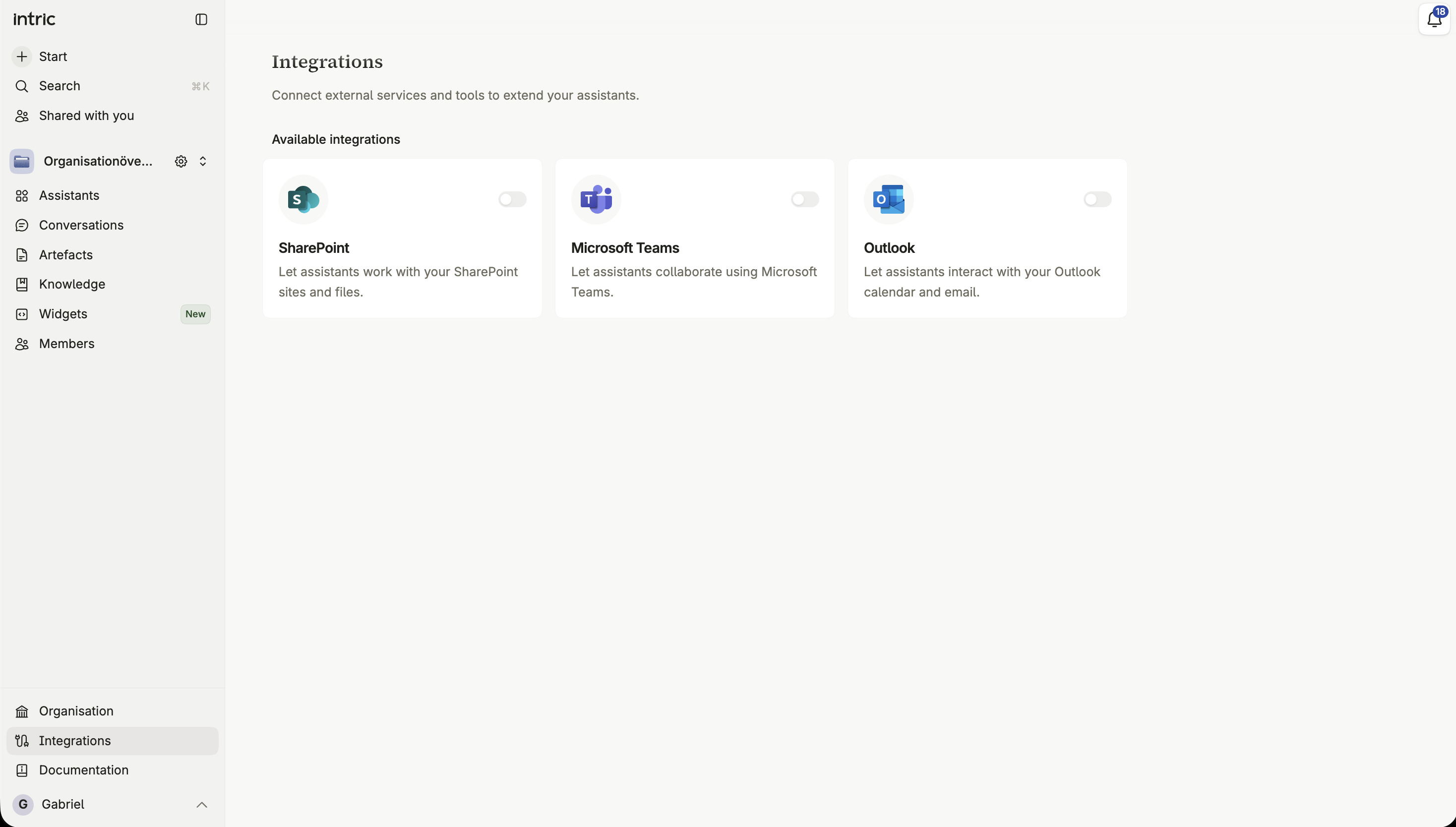
Each integration your organization has enabled appears there as a card with a toggle. Switching it on connects your own account — your own SharePoint sites, your own Outlook mailbox — so assistants can use it on your behalf. Switching it off disconnects it again. An integration your organization hasn’t turned on doesn’t appear on the page at all.
Approving a tool run
Section titled “Approving a tool run”When an assistant wants to use a tool that needs your say-so, you’re asked to approve it. Depending on what you choose and what your organization allows, that approval can apply to just this one instance, always for this assistant, or always everywhere.
Automatic approval
Section titled “Automatic approval”If your organization allows it, you can let a specific capability run without asking every time — for one assistant, or across all your conversations. This can’t be undone from your side once granted; an administrator would need to reset it.
Seeing what a tool did
Section titled “Seeing what a tool did”Every tool call an assistant makes is visible in the conversation: what was sent, what came back, and any error if it failed. That lets you check the assistant’s work rather than take it on faith.