3 articles · 1 min read
Plans
Multi-step workflows an assistant runs in the background, on demand or on a schedule.
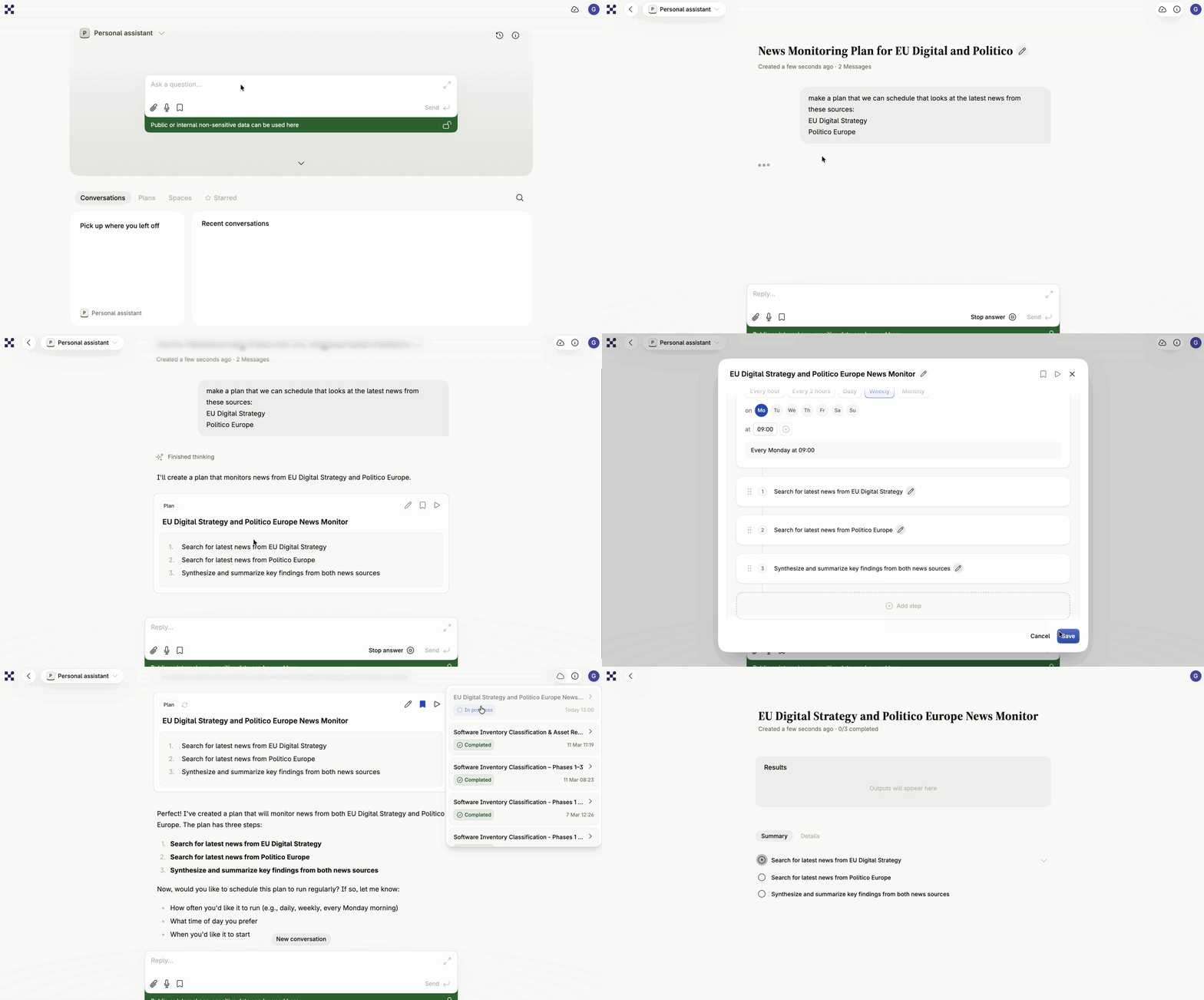
A plan is a sequence of steps an assistant carries out in the background. Where a conversation is you and an assistant going back and forth, a plan is work you’ve described once and can then run repeatedly — on demand, or on a schedule, without you being there.
What a plan is
Section titled “What a plan is”Plans suit tasks that are too long for a single chat, or that you want done identically every time: working through a document library, compiling a weekly summary, checking a set of sources for changes.
How a plan differs from a conversation
Section titled “How a plan differs from a conversation”A conversation is interactive — you and the assistant respond to each other in real time. A plan runs on its own once started: each step executes with its own instructions and its own context, and you check the result afterward rather than steering it as it goes.
What a plan is made of
Section titled “What a plan is made of”- Steps — individual tasks that execute one after another, each with its own instruction.
- Step configuration — internal settings for each step: its action type, and any files it expects before it can run.
- Schedule — an optional recurring schedule that runs the plan automatically. See Scheduling.
Plans and artefacts
Section titled “Plans and artefacts”A plan can create and update artefacts across its steps. If one step creates a document, a later step can fetch it and build on it, allowing collaborative, iterative work within a single run. See Artefacts.
Where plans live
Section titled “Where plans live”A plan is scoped to a specific assistant and a specific user. It becomes available for that assistant and can be started from any conversation with it, from the Plans tab, or from a bookmark in the sidebar.