Billing · 1 min read
Your billing group
See your own consumption, how much of your limit remains, and what your group is spending.
Your billing group shows what your own use has cost and how much of your limit is left. If you administer a group, it also shows the group’s spend and each member’s position against their limits.
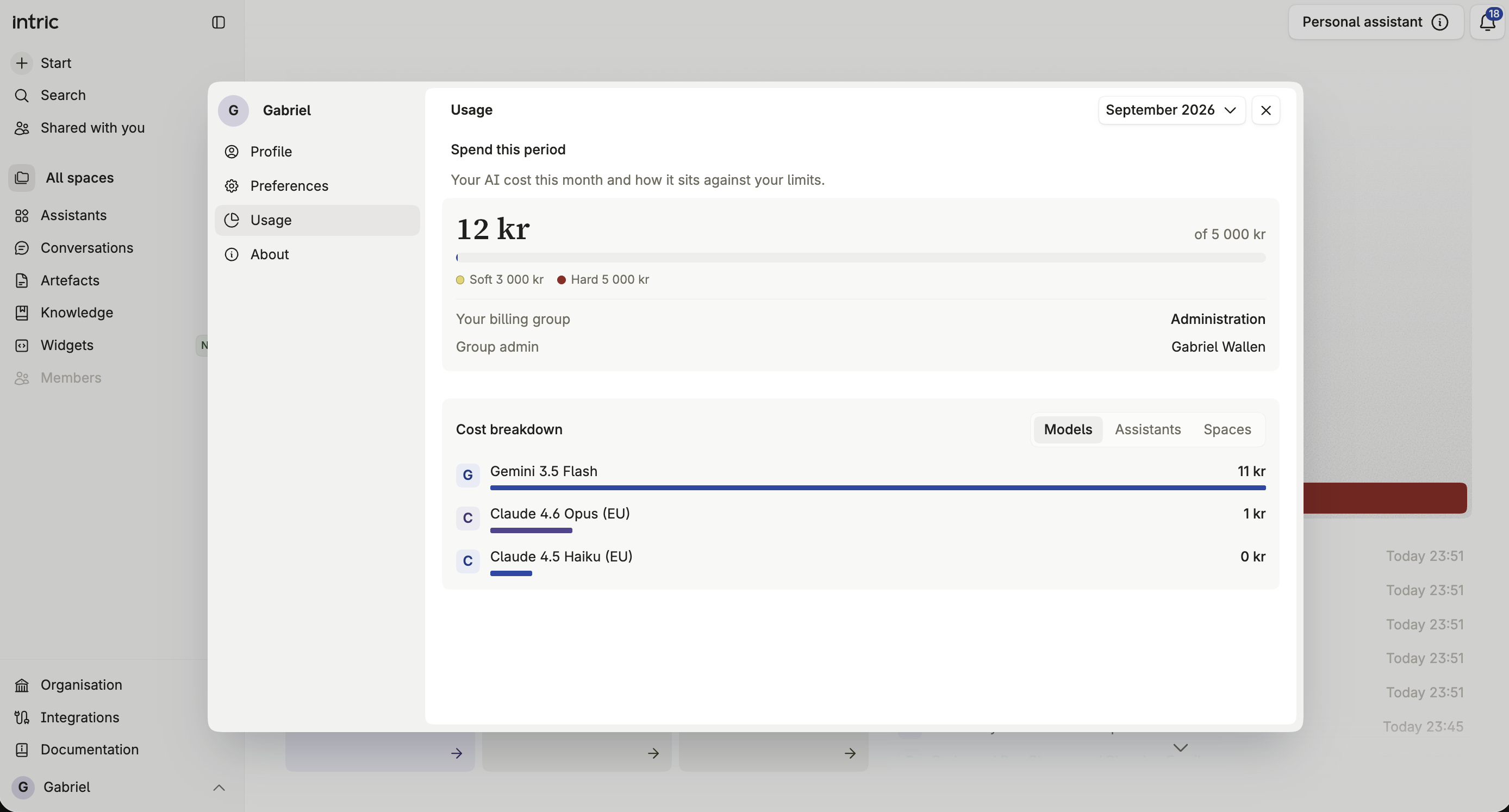
Your own consumption
Section titled “Your own consumption”Break down your own consumption by model, assistant, and Space, and filter by time period to see how your usage has changed.
How much of your limit remains
Section titled “How much of your limit remains”See your remaining budget against any soft or hard limit your billing group admin has set for you.
If you reach the hard limit
Section titled “If you reach the hard limit”Once you reach a hard limit, further paid AI use is blocked until the next period resets it or your admin grants you extra credit.
Requesting extra credit
Section titled “Requesting extra credit”There’s no self-service request flow for extra credit — if you need more than your current limit allows before the next period resets it, contact your billing group admin directly.
If you administer a group
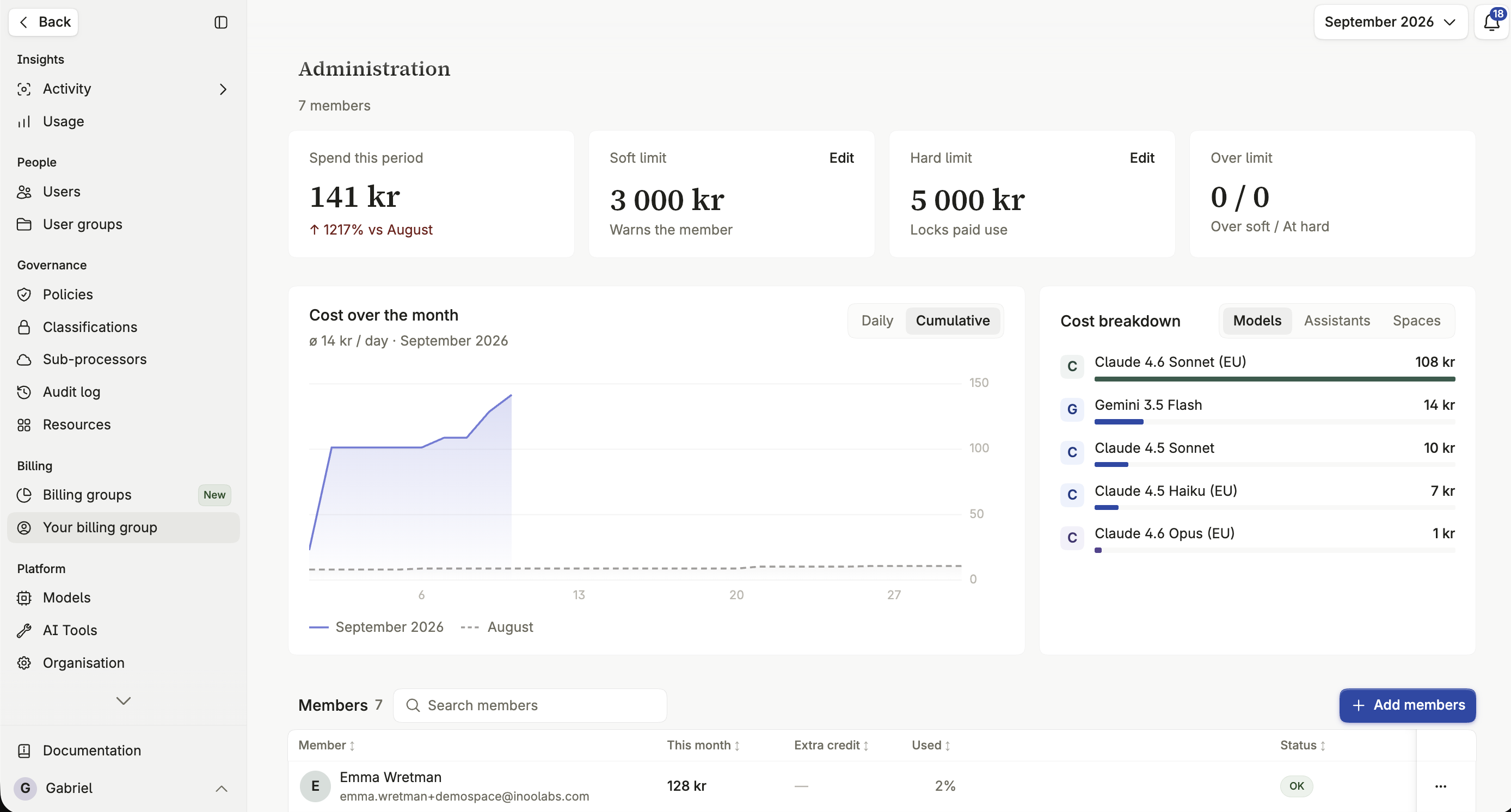
Section titled “If you administer a group”A billing group admin sees the same financial detail as an organization admin, scoped to their own group. That includes total spend, per-member consumption, and the ability to grant extra credit or adjust limits for members of the group.
Widgets billed to your group appear among its members with their own spend, and when a widget reaches the soft limit the notification comes to you. You can move a widget out of your group to Unassigned, or take one in from there. See Moving a member to another group.
Cost information when choosing a model
Section titled “Cost information when choosing a model”When creating or editing an assistant, you’re shown the selected model’s relative cost and capability, so you can weigh cost against performance directly. Choose a more economical model for simple tasks, and reserve the most capable ones for complex work.