Build Your First Assistant · 1 min read
Step 6: Other Functionality
Search, conversations, artifacts, visualisations, and masking.
Search
Section titled “Search”Search for specific assistants or conversations to navigate directly to them.
Conversations
Section titled “Conversations”View conversations from different assistants in one place. You can edit, delete, or jump back into a conversation to continue it.
Artifacts
Section titled “Artifacts”In Intric, your assistants can create documents. You will find these collected under Artifacts. An assistant can respond with text in the chat but also create documents — this is not a feature you turn on, but a capability of the models that is triggered when they judge it appropriate, or when you specifically ask for it (for example “create a document”). Different models tend to use this capability to varying degrees.
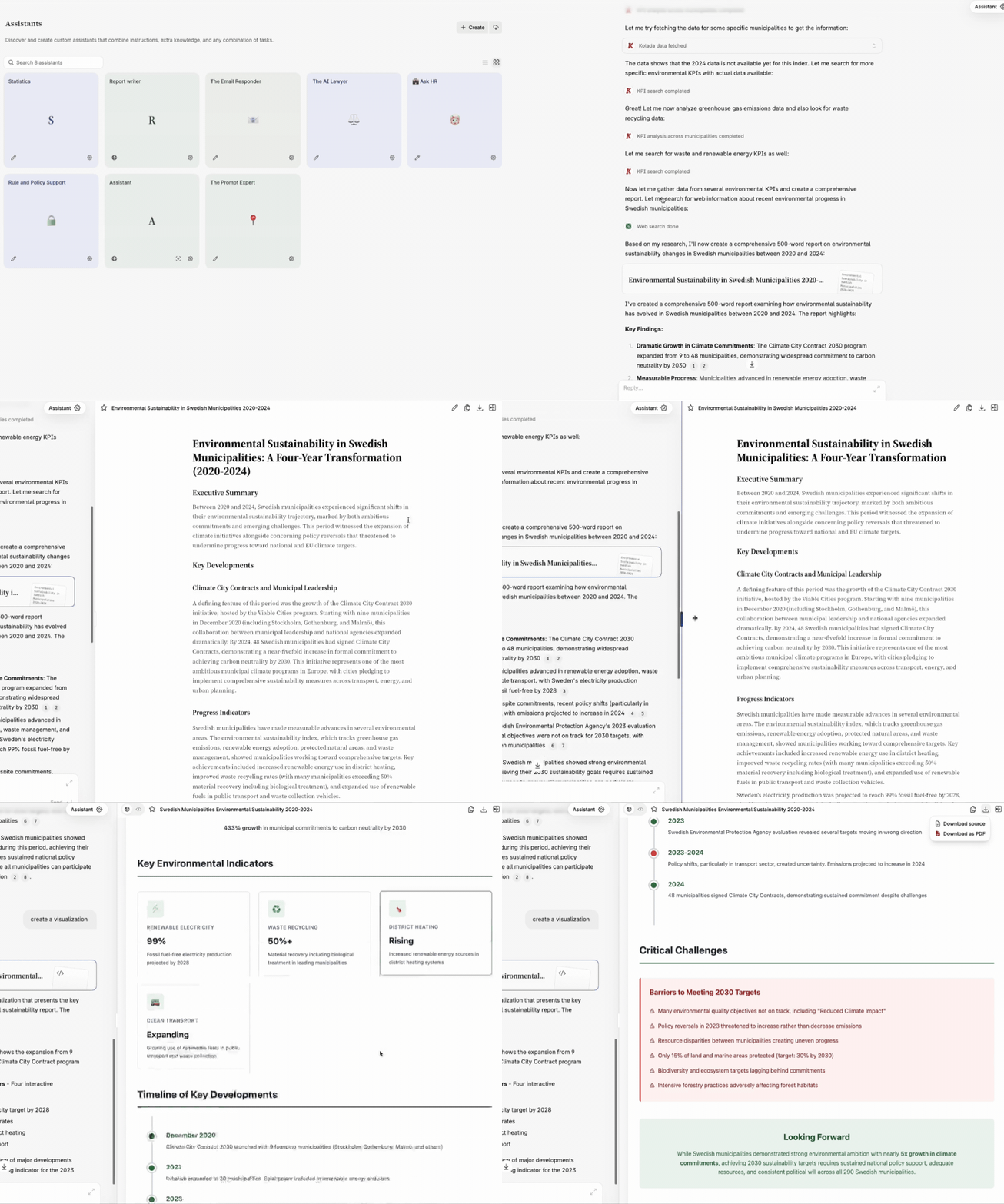
Once a document is created, you can ask the assistant to iterate on it or make edits yourself by clicking the pen icon. You can then save the document as PDF or DOCX.
You can also ask your assistants to create visualisations or interactive visualisations (with clickable elements, for example). Just as with documents, this is triggered either when the model decides it is appropriate or when you ask for it, for example “create a presentation” or “visualise this”. Visualisations are downloaded as source code that you can open and use.
Masking
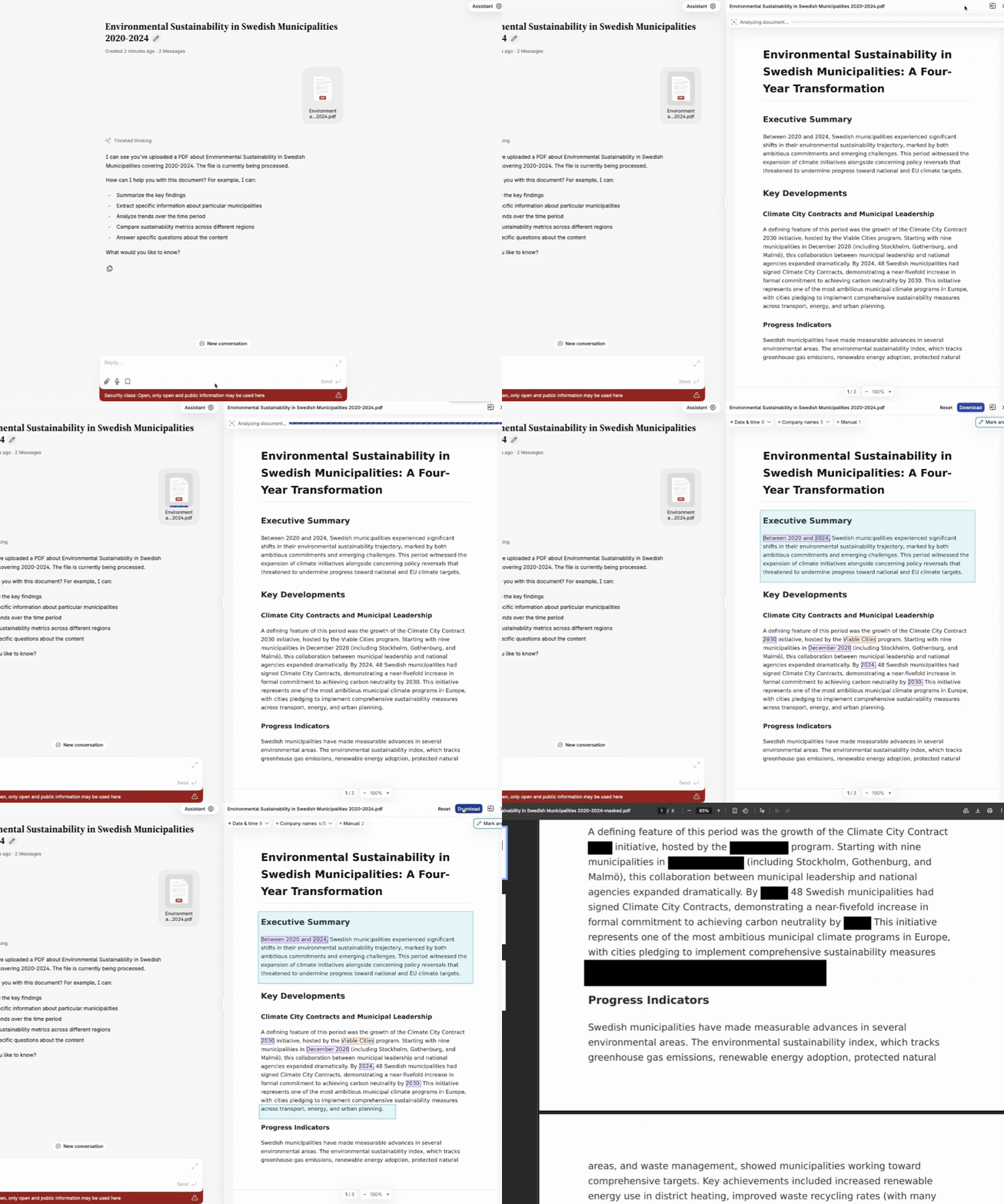
Section titled “Masking”In Intric you can mask documents. Upload a PDF in any assistant’s chat and click on it — a preview will appear. In the top right you will see the Mask button. Here you can either let Intric automatically remove certain types of information, or go in and manually redact parts yourself. Once masking is complete the file is saved as an image — meaning the masking cannot be undone on the new file.
Test your knowledge
What is an artifact in Intric?