Build Your First Assistant · 1 min read
Step 1: Open or Create a Space
Choose or create a Space and start building your first assistant.
When you log in to Intric or click “Start”, you are greeted by your personal assistant — a default assistant your administrator has set up for general questions. If you are a Creator, you can build custom assistants tailored to different needs and use cases.
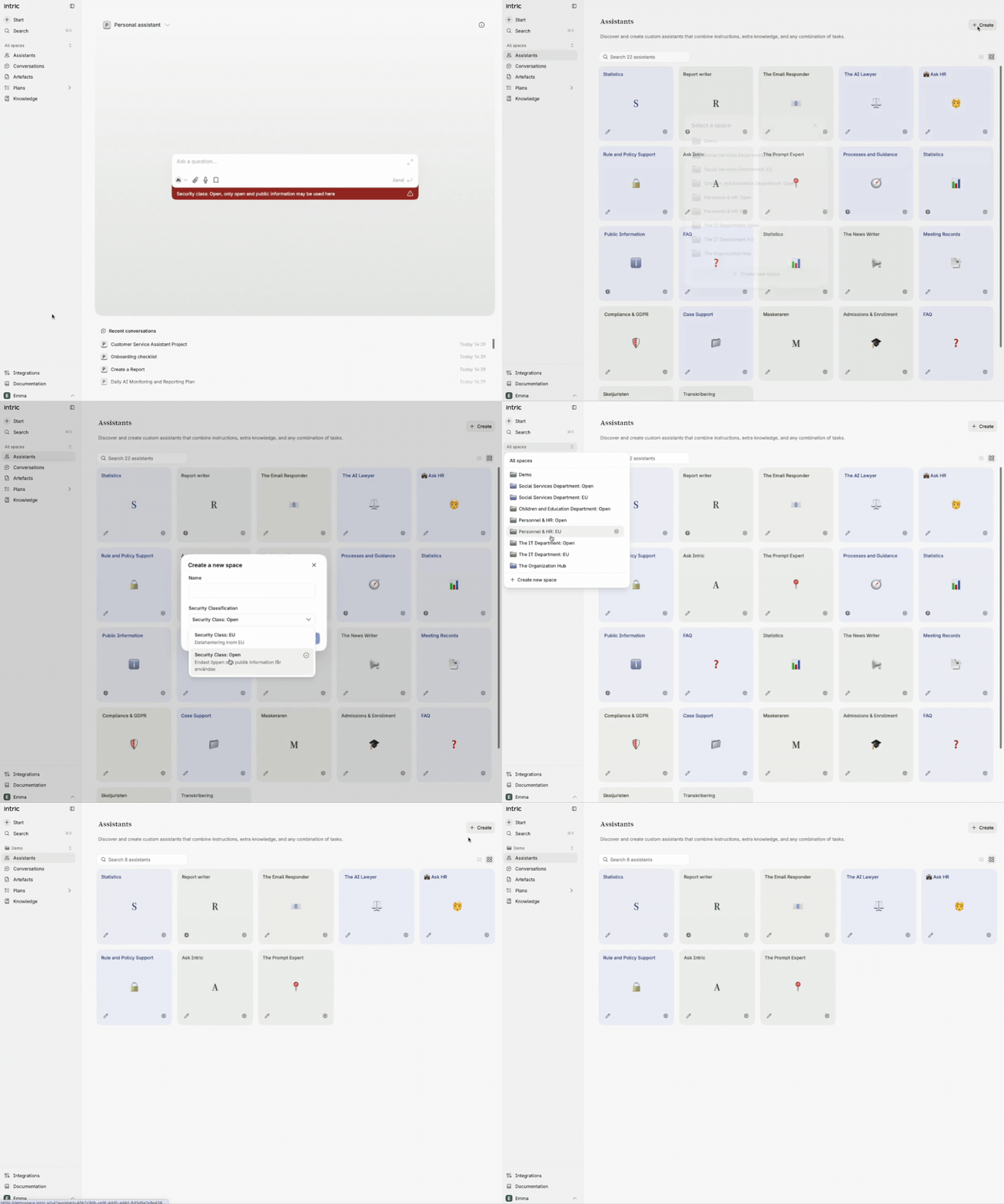
Create an assistant
Section titled “Create an assistant”Click Assistants in the left menu and then Create. You will then choose whether to create the assistant inside an existing Space or create a new one.
Choose an existing Space: All admins and creators with access to the Space will see your assistant. The Space’s security class applies to the assistant and affects which models and features you have access to. Click Space, select an existing Space, and then click Create.
Create a new Space: Click Space → Create new Space. Name the Space and choose a security class based on what type of information you will work with. If you want to share the Space with colleagues, invite them via the left menu — expand all Spaces and click the gear icon.
Test your knowledge
What determines which models and tools are available in your assistant?