Personal Assistant
The personal assistant (chat) is the view that all users encounter first in the platform. As an administrator, you play a crucial role in shaping this experience so it becomes both powerful and secure. Here you control the global default settings that apply to all users’ individual chat interfaces.
The personal assistant will be employees’ daily “AI partner.” By optimizing the settings here, you can lower the threshold for use and ensure that the technology is used in a way that follows the organization’s guidelines without hindering productivity.
Centralized control and security
As an administrator, you have the authority to adjust the settings for this chat to ensure that permissions and security levels are always followed.
- Model control: Limit which language models are selectable for the personal chat. This prevents users from inadvertently using models that don’t meet the organization’s requirements, for example regarding data storage location.
- Compliance: By locking the chat to specific security classes, you ensure that employees always work within the frameworks the organization has set up for different types of data.
Recommended settings for optimal benefit
To give users the best possible start, use the following configuration:
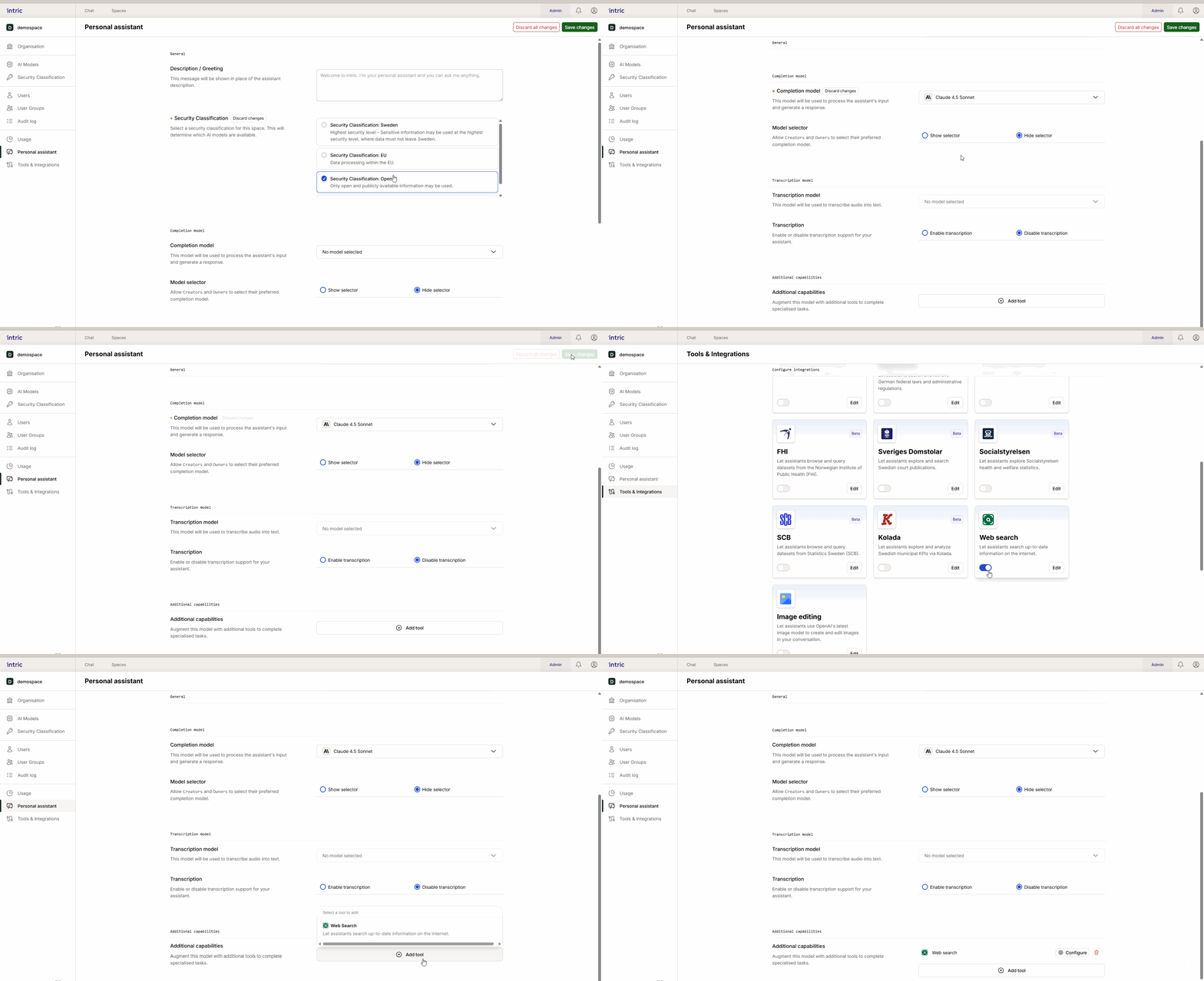
- Security level: Place the personal chat in an “Open” security class. This is suitable for general questions and everyday tasks that don’t involve sensitive information.
- Model selection: Choose a fast and efficient model as default. Speed is often more important than extreme analytical ability in the personal chat for the user to get immediate feedback.
- Enable Web Search: For maximum user benefit, enable the Web Search tool by default. This allows the assistant to fetch current information from the web, which is one of the most appreciated features in daily work.
Transparency for end users
Users must understand which rules apply to their chat. In the interface, there’s an info icon (i) that users can click to see which settings, models, and security classes are active. This creates confidence that they know exactly what type of information they can handle in the chat.