Audit log
For organizations that handle sensitive information, traceability and control are crucial. Intric’s audit log gives administrators a complete history of events in the platform. This ensures that you can meet regulatory compliance requirements (such as GDPR and the EU AI Act) and have insight into how the platform is used.
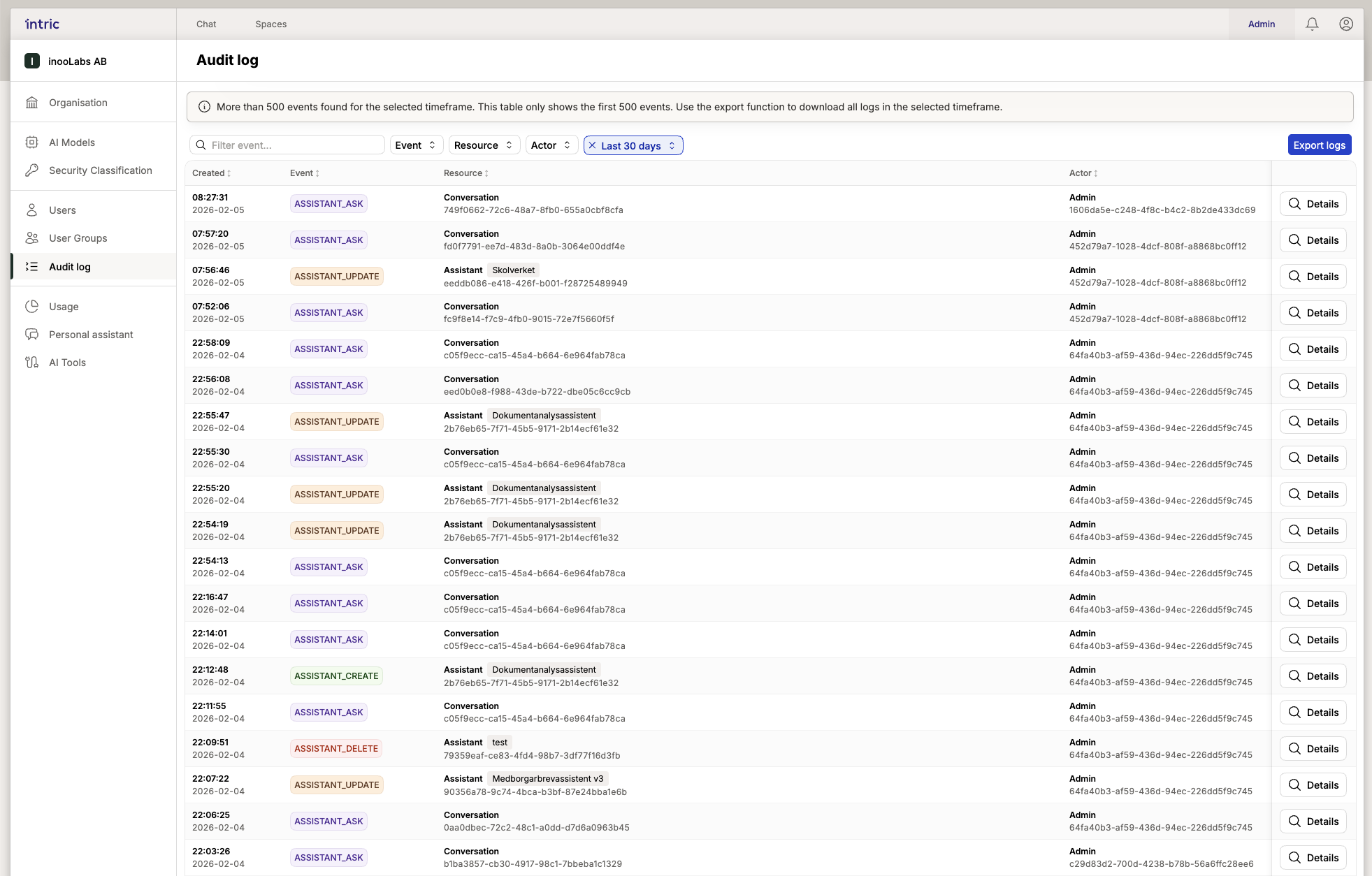
Below is a summary of what is logged in the platform.
Summary of event logs
| Category | What is logged? | Information saved |
|---|---|---|
| Assistants | All handling of assistants (create, modify, delete). | Who performed the action, the assistant’s name, Space and models. Previous settings are saved when changes are made. |
| Spaces | Creation and administration of workspaces. | Who created/modified a Space, changes in security classes and deletion of workspaces. |
| Interaction | Questions and conversations. | Every question (incl. model and attachments) and when a conversation is permanently deleted. |
| Tools | Use and connection of tools. | Connection/modification of integrations and users’ approval/denial of tool execution. |
| Files | All file handling. | Upload, deletion and AI generation. File type, category and size are always saved. |
| Security | Global security settings. | Creation of security classes and critical changes that affect the organization’s security level. |
| Users | Management of user accounts. | Invitations, changes of roles and when accounts are removed from the platform. |
Why is this logged?
The purpose of the audit log is to create a transparent environment where every administrative action and important user interaction leaves a trace. This is not just a security measure but also a tool for troubleshooting configurations and ensuring that the organization’s guidelines are followed.
Need to export logs for an external audit? Contact your local administrator or Intric Support for help with data extraction.